
Screenshots



Description
Microsoft WhiteboardAn official app from Microsoft for collaboration that allows you to share thoughts and ideas with your friends or co-workers via a blank canvas on your mobile device.
About the app
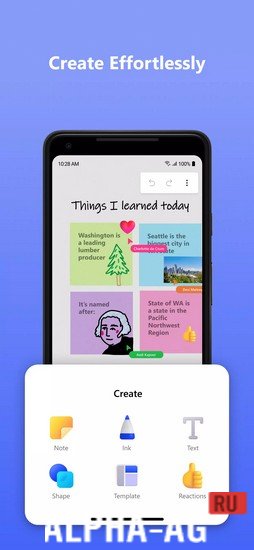
This app provides you with a freeform blank canvas where you, together with friends or colleagues, can type text, draw pictures, and more. This way, you can always write down your thoughts and share ideas that come to your mind while taking a walk in the park, relaxing at home, or anywhere else.
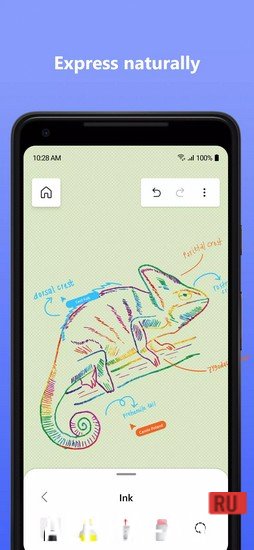
To do this, a toolbar will be available where you can choose the type of brush, pencil, or pen you want to use to take your notes.
By the way, they will look just like the ones you make in a regular notepad. Upload your notes so others can work on them together. Each person can edit notes and add their own text.Key features
This is quite a useful and handy app where you get access to an interactive smartboard or flipchart to write down virtually anything and share any of your notes with friends and colleagues. It allows a remote team to collaborate with each other via a convenient cloud-based workspace.
This app features an optimized user interface that is extremely convenient to use. You will have access to more than 40 customizable templates.
You will also have at your disposal a wide variety of fun reactions, and the ability to copy and paste content on a single canvas. Use ink effect pens for drawing on the board. 0 19 Jul Additional information:- Android version required: 8.1 or higher
- Age rating: 3+
- Russian localization: present
- Cache installation: not required
Subscribe to our YouTube channel!
Add a commentHow to install
- Download the APK file above to your phone.
- Allow “Install unknown apps” when prompted.
- Open the downloaded APK and tap Install.
- If the package includes OBB/XAPK data, follow the bundled instructions.
MOD APKs are modified builds, so Play Protect may show a warning. Install only if you trust the file; use at your own risk.