
Screenshots


Description
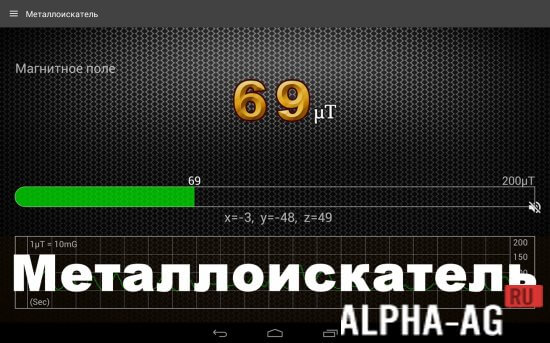
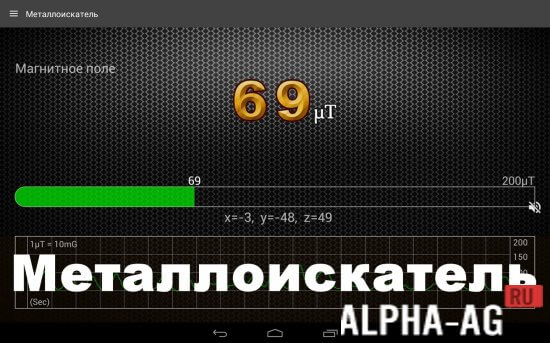
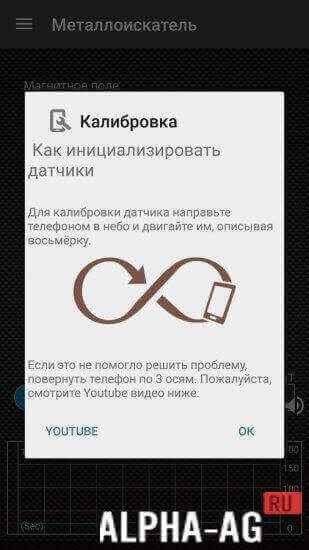
Metal DetectorInstall and launch the app, draw a figure "8" in the air while holding the smartphone in your hands, and point the mobile device closer to the inspection area. Screen readings above 50 μT will indicate where metal objects are located.
Characteristics
To find metal objects, it is not necessary to use expensive specialized equipment.
You already have a high-end mobile device – a versatile tool with plenty of built-in sensors.
To search for metal objects, it is necessary to engage magnetic sensors, which is exactly what the "Metal Detector" app on Android OS allows you to do.How to use the program
To interact with the program, follow these steps:
- Turn on the app.
- Point your smartphone toward the sky and draw a figure "8", preferably a sweeping one.
- Point your smartphone closer to the object of inspection.
- Observe the magnetic field intensity indicator on the smartphone – by default, this value corresponds to 49-50 μT and increases as you approach metal items.
Users often ask why it is necessary to draw a figure "8".
The same action is required when activating a compass and will be needed for using any other mobile applications.They engage the magnetic sensors in the mobile smartphone. By drawing a figure "8" in the air (and preferably pointing the smartphone toward the sky while doing so), we calibrate the magnetic sensors. That's all.
You can download the "Metal Detector" app for Android from us for free.
0 Jun 10 Additional information:- Android version required: 6.0 or higher
- Age restrictions: 3+
- Russian localization: present
- Cache installation: not required
Subscribe to our YouTube channel!
Add a commentHow to install
- Download the APK file above to your phone.
- Allow “Install unknown apps” when prompted.
- Open the downloaded APK and tap Install.
- If the package includes OBB/XAPK data, follow the bundled instructions.
MOD APKs are modified builds, so Play Protect may show a warning. Install only if you trust the file; use at your own risk.