
Screenshots

Description
Memory Wiper ProA simple and handy application designed for quick cleaning of RAM and cache memory, allowing you to boost performance and speed up your mobile device.
Gameplay
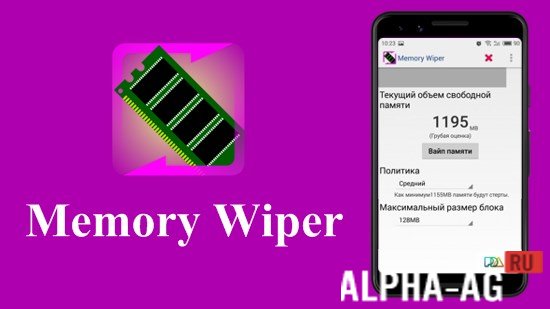
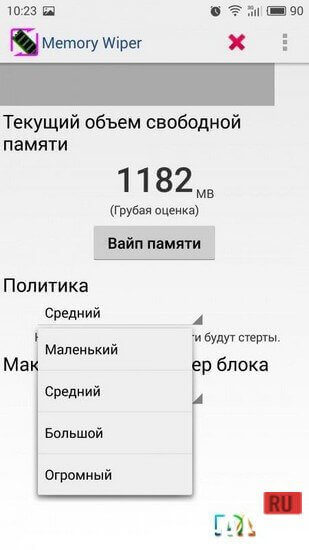
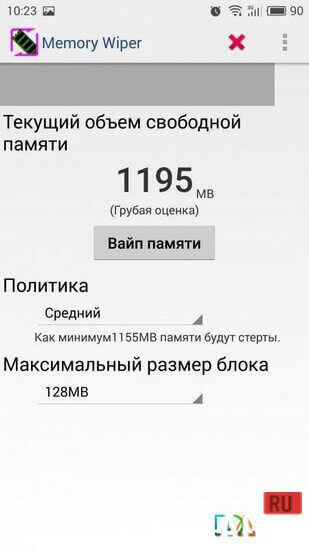
When you launch the app, the current amount of free memory on your device will be displayed at the top of the main page, and below it is the "Wipe memory" button, which starts the RAM cleaning process.
Before starting it, you should configure two parameters: cleaning policy and maximum block size.The higher the cleaning policy, the more aggressively it will run, and the larger the memory block size, the faster the cleaning process will be, though it will be less thorough. Accordingly, for maximum efficiency, it is worth setting the maximum policy level and the minimum possible block size.
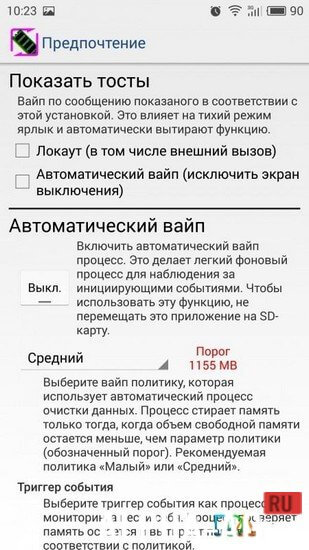
You can also use the advanced settings to enable automatic memory cleaning on your device. When you activate this function, you will need to choose a threshold—that is, the amount of remaining RAM that, when breached, will trigger the cleaning process.
You will also need to select which event will trigger the process: screen turning on, screen turning off, or unlocking the keypad.Key features
An excellent application for quick cleaning of RAM and cache memory, which will help you optimize your mobile device. The app works on the principle of filling RAM with individual memory blocks that crowd out unnecessary processes and force the system to clear caches.
4 25 Apr Additional information:- Android version required: 2.1 or later
- Age restrictions: none
- Russian localization: present
- Cache installation: not required
Subscribe to our YouTube channel!
Add a commentHow to install
- Download the APK file above to your phone.
- Allow “Install unknown apps” when prompted.
- Open the downloaded APK and tap Install.
- If the package includes OBB/XAPK data, follow the bundled instructions.
MOD APKs are modified builds, so Play Protect may show a warning. Install only if you trust the file; use at your own risk.