

Screenshots


Description
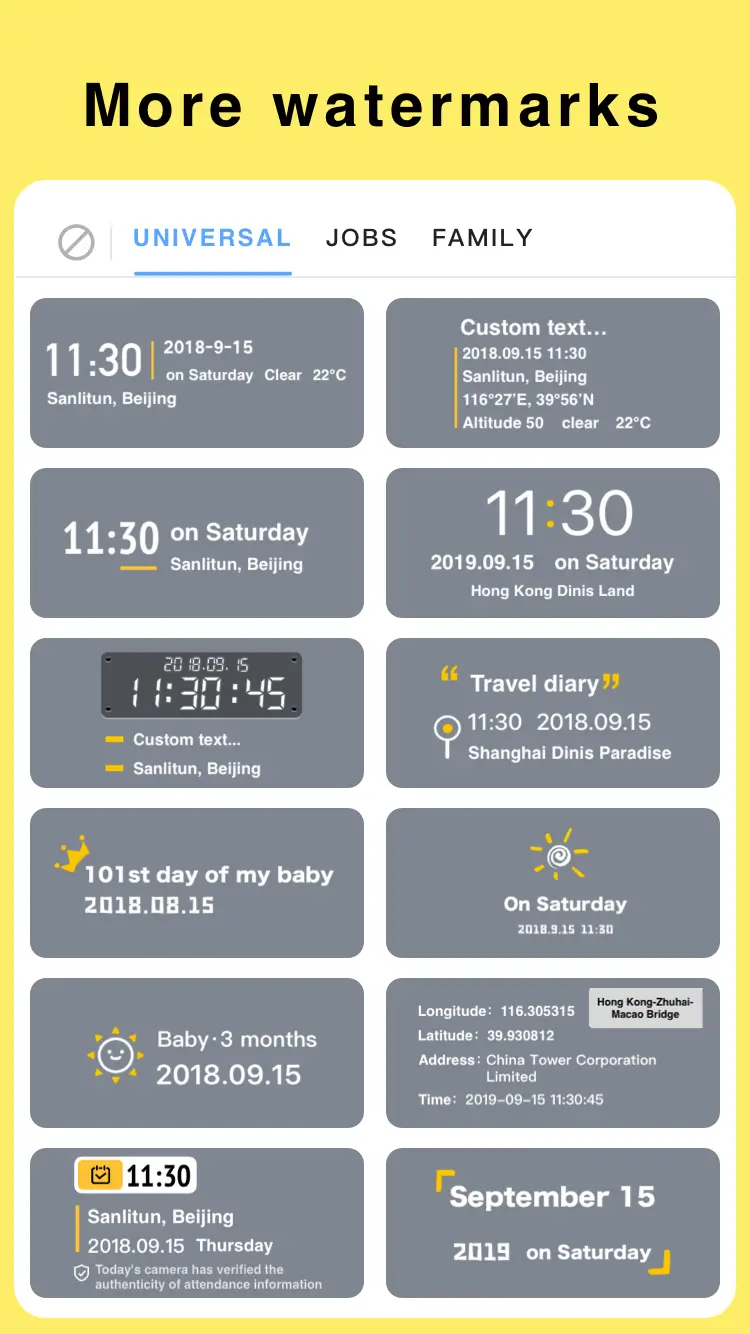
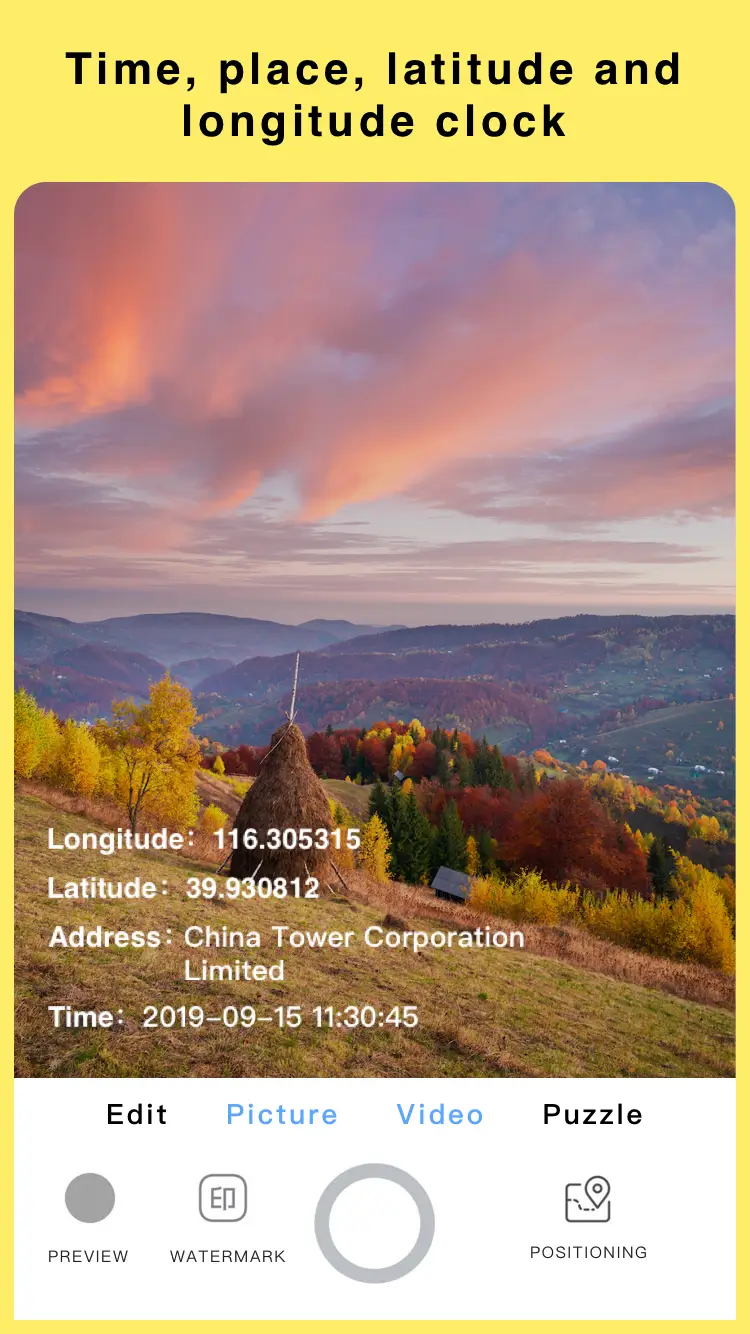
Add timestamp, GPS location and map to photos instantly. Mark Camera embeds the date, time and address on every shot, making it ideal for work, travel and cherished memories.
This release unlocks the Premium and Paid features, giving you full access to the app's professional documentation tools. The Mark Camera MOD APK enables advanced customization and coordinate stamping that are normally restricted in the standard version.
What's Modified in Mark Camera
- Unlocks all premium features and professional tools within the app.
- Gives access to paid customization options and advanced template settings.
This build is version 4.0.0, has a file size of 57 MB and uses the package name camera.timestamp.mark.watermark. It is a re-signed file, so it cannot be installed as an update over a version downloaded from the official store.
About Mark Camera
Mark Camera: Time Stamp & GPS lets you overlay factual data onto your photographs. Its main purpose is to make it simple to add the current date, time, GPS location, address and map details to pictures as you take them. There are many reasons to document things this way. You might track your children as they grow by capturing photos at different stages, record your travels, log deliveries and confirmations, or preserve everyday moments that matter to you. The photos taken with this app capture the event in full and act as a time capsule, with all the facts and data recorded alongside the image. Real-time date and location stamps are embedded directly into each photo, turning it into a complete documentation resource. The GPS coordinates are presented in a formal, professional format that suits both personal and official use.
Smart GPS technology detects the device's location and converts it into an address that includes City, State and Country. The app can also display latitude and longitude on the photo to meet more technical requirements. A mini map preview can be overlaid on the image, which is especially useful for site reports and business inspections because it confirms the location beyond doubt. Before you take the shot, you can see a live preview of all the information that will be captured, including the location, so you can check that it is legible and correctly positioned. This saves you from reviewing many photos to verify their location and placement, and it makes the process easier for field workers and contractors who need reliable documented evidence.
The app also applies timestamps accurate to the second. You can choose from different date and time formats to match your personal preference or your region. Clock formats are available in both 12-hour and 24-hour styles, and dates can be shown in a variety of international formats. To make sure the stamps do not compromise photo quality, the app offers customizable templates. You can change the font of the stamp to suit your taste and adjust its position to create professional, tailored layouts. Use it to create a subtle watermark for a travel blog or a large, high-contrast data block for an engineering report.
Beyond capturing photos within the app, you can also edit pictures already stored on your device through the gallery. This includes adding GPS information to images that were not taken with Mark Camera, as long as the metadata is available. You can stamp addresses and/or timestamps onto images in real time and then save the result to your camera roll. Because you can preview each stamp before applying it, you can check the accuracy of the information added to the image. This makes the app very flexible for capturing and adding information to photos. You can export images in high resolution so that quality is preserved and every detail stays readable, which is essential when small details matter.
This app serves a wide range of professional purposes. On construction sites, it can time-lapse the progress of a building project. Real estate agents use it to document a property's condition alongside location data. Delivery drivers rely on it to timestamp and geotag the drop-off of each package. It also helps create field service reports and gather supporting evidence for insurance claims. Remote teams use it to build reports as well, capturing timestamped, location-tagged data that shows a service was carried out at a specific time and place. Because that data comes from the device's system clock and GPS, it is highly reliable, which makes it especially valuable for engineers and inspectors who need proof for their professional duties.
Beyond work, this app is also excellent for documenting personal experiences such as travel. Users can record their trips and have location data embedded directly into their photos. It offers a simple way to preserve memories tied to exact geographic coordinates, making it easy to revisit those places later. With quick processing, you can share captured moments with clients, coworkers, and friends on social media in seconds. By combining GPS, timestamps, and maps, the app makes each photo more informative, and when it is used for work documentation, the context stays attached to every image as it is shared. The app is developed and maintained by the MarkCameraTeam.
Key features
- Automatic GPS location detection
- Address, latitude and longitude stamping
- Real-time date and time watermark
- Built-in map overlay option
- Custom watermark styles
- Multiple timestamp formats
- 12-hour and 24-hour clock support
- Adjustable text size, color and placement
- Camera preview with live stamp
- Import photos from your gallery
- High-resolution export
- Fast processing and easy sharing
Related MOD APKs
- Supermarket Simulator
- FreeReels – Dramas & Reels
- Blackmagic Camera
- Deepsearch Assistant: SearchAI
FAQ
Is Premium unlocked in the Mark Camera: Timestamp & GPS MOD APK?
This 4.0.0 version of Mark Camera: Timestamp & GPS comes with Premium and Paid features unlocked. It works exactly like the official MarkCameraTeam release, and all modifications become active as soon as installation is complete.
What is the latest version of the Mark Camera: Timestamp & GPS MOD APK?
Version 4.0.0 is the most recent build from MarkCameraTeam, last updated on March 3, 2026. We do not keep older versions available here. To update, install the new file over your current app. If you encounter a signature conflict, uninstall the previous version first.
Is the Mark Camera: Timestamp & GPS MOD APK safe to download?
This 4.0.0 file of Mark Camera: Timestamp & GPS, available on GameMod.dev, is the MarkCameraTeam app with Premium and Paid features added. It has an average rating of 4.2 from 29 users and does not require root access. Play Protect may display a warning during installation, but downloading from this page keeps the risk low.
Can I use the Mark Camera: Timestamp & GPS MOD APK on PC or iPhone?
This is an Android file, so it will not run on an iPhone. To use the 57 MB package on Windows or macOS, install an emulator such as BlueStacks or LDPlayer, then drag the file into it.
How to install
- Download the APK file above to your phone.
- Allow “Install unknown apps” when prompted.
- Open the downloaded APK and tap Install.
- If the package includes OBB/XAPK data, follow the bundled instructions.
MOD APKs are modified builds, so Play Protect may show a warning. Install only if you trust the file; use at your own risk.