
Screenshots

Description
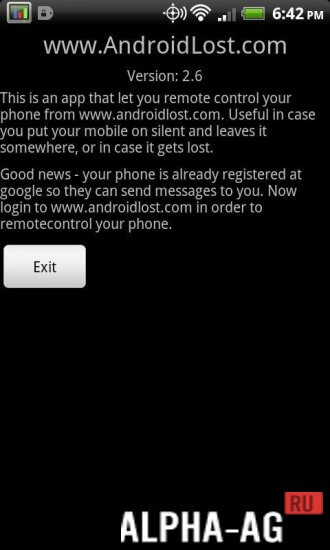
Lost AndroidWith this app, you can remotely control your phone via SMS or the internet.
Gameplay
In case you lose your smartphone or it gets stolen, you can use this app to quickly locate it. However, you must first install the app on your device beforehand.
If your phone is lost, you will need to go to the official website of the program and log in using your Google account. Afterward, you will be able to remotely control your device by sending various commands to it.Using them, you can lock your device and wipe your smartphone's storage so that your photos, videos, and other important information do not fall into the hands of perpetrators. You will be able to record audio from the phone's microphone, read and send messages, forward calls, and monitor battery status.
You can also track your device's location via GPS, take photos using both the main and front cameras, and much more.Key Features
With this program, you can quickly find your smartphone and lock it to prevent the loss of sensitive information that criminals could use for their own purposes. The app offers a wide variety of features designed to help you protect your device. You can send various commands to your device via SMS or the internet to trigger the actions you need.
0 19 Dec Additional information:- Android version required: 4.0 or later
- Age rating: 3+
- Russian localization: none
- OBB/Cache installation: not required
Subscribe to our YouTube channel!
Add a commentHow to install
- Download the APK file above to your phone.
- Allow “Install unknown apps” when prompted.
- Open the downloaded APK and tap Install.
- If the package includes OBB/XAPK data, follow the bundled instructions.
MOD APKs are modified builds, so Play Protect may show a warning. Install only if you trust the file; use at your own risk.