

Screenshots
Description
Lookr is a free Android application designed for searching, streaming, and downloading online video content. Explore what Lookr APK brings to the table, how to set it up securely, and what potential drawbacks you should keep in mind.
Understanding Lookr: Features, Installation, and Safety Overview
Lookr is a versatile Android utility that merges a web browser, a video search engine, a media downloader, and a music player into one platform. On the Google Play Store, it is officially titled “Lookr-AI Video Search&Download”. If you are new to the app, this guide covers its core functionality, the installation process for the Lookr APK, and general user feedback.
Quick Facts About Lookr APK
App name: Lookr-AI Video Search&Download, Developer: COIHUB TECHNOLOGY, Package: com.wecloud.lookr, Current Version: 1.5.7.1110.01, Minimum OS: Android 7.0+, File Size: Approx. 45 MB (64-bit), Cost: Free (contains ads, no IAP), Installs: 100,000+, Release Date: January 2025
What Is Lookr?
Launched on Google Play in early 2025, Lookr has already reached over 100,000 installations. The developer is listed as Hong Kong-based COIHUB TECHNOLOGY LIMITED, with support contact details linked to transsion.com, the parent company of mobile brands like Tecno, Infinix, and itel.
Simply input your query to have Lookr scan the web for relevant music, trailers, vlogs, and videos. You can watch content via the integrated player or save it for offline access. Depending on your region, the app currently maintains a rating between 3.6 and 4.2 stars from approximately 300 user reviews.
Note that Lookr is exclusive to Android. The iOS app titled “Lookr: AI Photo Privacy” is a completely different product.
Primary Features of Lookr
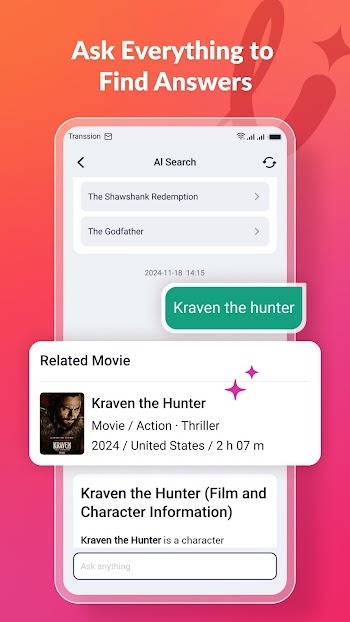
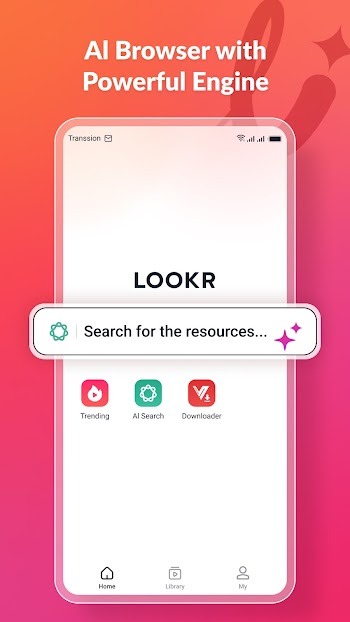
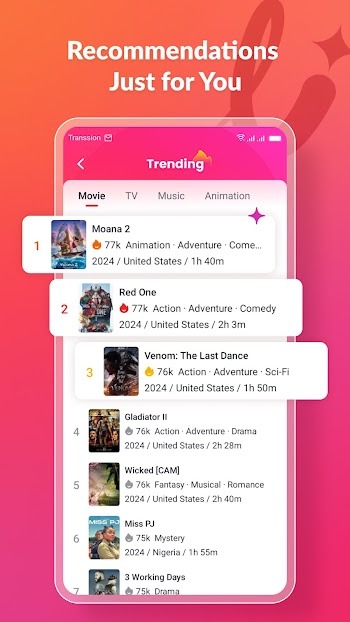
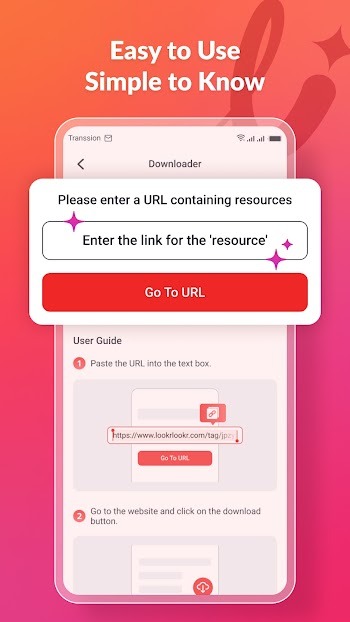
– AI Search: Use the AI assistant to locate specific videos, browse playlists, or get summaries of movie plots. – Integrated Browser: Access platforms like TikTok, X, Facebook, and Instagram instantly with support for up to 15 custom bookmarks. It includes private browsing modes and alerts you to potential ad-based redirects. – Video Downloader: Capture media using the floating download icon on web pages or by pasting URLs directly into the downloader tool. Files are organized in your Library. – Trending Content: Explore popular music, movies, and clips. – Music Player: Enjoy background playback, shuffle features, and curated charts. – Video Player: Includes subtitle synchronization, resolution adjustments, screen locking, and a mini-player mode. – Guest Access: No registration required; sign-in via email or social accounts is entirely optional.
How to Download and Install the Lookr APK
The safest way to get the app is through the Google Play Store by searching for “Lookr-AI Video Search&Download” and selecting install. If the store is unavailable, you can perform a manual installation:
1. Ensure your device is running Android 7.0 or higher. 2. Acquire the installation file. Since Google Play often distributes the app in multiple segments, third-party sources usually provide an XAPK bundle (around 45 MB). 3. Use a split-APK installer like SAI to handle the installation, granting “Install unknown apps” permissions only to that tool. 4. Verify the package name is com.wecloud.lookr and the version is 1.5.7.1110.01 or newer. 5. Launch the app, grant necessary storage and notification permissions, and choose to continue as a guest or log in.
Remember to disable the “Install unknown apps” permission once the process is complete.
User Feedback and Potential Issues
Consider these points before you proceed with the installation:
– Search Inconsistencies: Recent reports from late 2026 indicate that some searches return no results and download functions may fail. Users have noted issues with Google redirects and post-update instability. – Ad Density and Performance: The app is ad-supported, and user reviews frequently cite excessive advertisements and slow download speeds. – Lack of Support: We have observed no official developer responses to feedback on the Google Play Store. – Ambiguous Ownership: The privacy policy references a different entity, Excellent Innovation Limited. – Data Privacy: According to Google Play, the app tracks device IDs for advertising, app usage logs, search history, and user-provided email addresses. – Age Appropriateness: While rated for everyone, the privacy policy states the app is not intended for users under 14, and the browser allows unrestricted internet access. – Copyright Compliance: Downloading copyrighted content from platforms like TikTok or Instagram may violate terms of service. Always respect intellectual property rights.
Final Verdict
Lookr serves as a multifunctional tool offering AI-driven search, web browsing, and media downloading. We recommend using the official Google Play version whenever possible; if you use an APK, ensure the package name is correct. Due to recent reports of search failures, we suggest testing the app's functionality before relying on it for your media needs.
How to install
- Download the APK file above to your phone.
- Allow “Install unknown apps” when prompted.
- Open the downloaded APK and tap Install.
- If the package includes OBB/XAPK data, follow the bundled instructions.
MOD APKs are modified builds, so Play Protect may show a warning. Install only if you trust the file; use at your own risk.