

Screenshots

Description
- Home /
- Apps /
- Personalization
- Payment
PierroXSize
1.2 MBVersion
14.3Requirements
4.0Get it on
Report this app
Images
Mod Info
- Full Version
Description
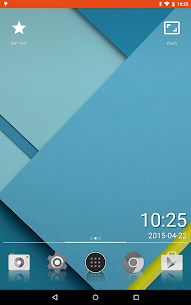
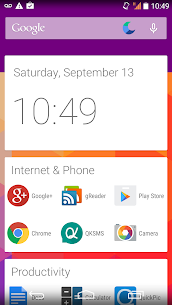
Lightning Launcher is a fast, light, and extremely customizable tool to build the perfect home screen. To build your home screen. No other launcher can compete with Lightning when it comes to customizability. Have a look at the full list of features and you will be convinced 😉
And if extreme customizability were not enough, Lightning is also very light on memory and a blazing fast launcher. It works like a charm on all phones and tablets, from Android 2.2 up to the newest Android versions.
Under the hood, Lightning is propelled by a powerful and unique engine allowing you to arrange your apps and widgets using the best possible flexibility and style.
• It doesn’t matter whether you want your icons to be nicely aligned on a grid, or pixel-perfect positioned or even scaled/ rotated/skewed in all directions: Lightning does it all with ease.
• It doesn’t matter whether you need a single page, five, or half a million with different setups for work, private use, and children: Lightning offers an unrivaled way to manage your precious screen estate.
• It doesn’t matter whether your device is one of these beloved pioneer Android phones or if you run the latest and greatest flagship: Lightning doesn’t waste CPU nor memory; the app strives to remain light and fast for everyone.
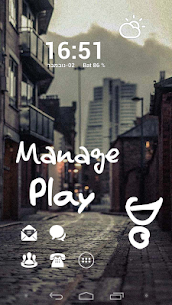
With its wide range of features, Lightning perfectly copes with all kinds of home screens: classic, minimalist, gesture-based, with sidebars or moveable panels,… Lightning doesn’t limit you to a particular scheme: it aims to free your creativity instead. Essentially, this home screen can do everything you can imagine.
Key Features (not an exhaustive list):
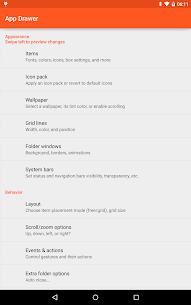
• Highly customizable desktop: change font, size, color, wallpaper, grid lines, folder options, status/navigation bar colors, layouts, scrolling & zooming options, events, actions, gestures, pretty much everything.
• Unique limitless desktop: a desktop is a surface growing as needed, in all directions. Move an icon to the right or left and a new page will be automatically created. And it works for pages above and below too! This means as much space as needed for your apps, and also much more efficient navigation.
• As many desktops as needed: one for private, work, party, kids, etc. Add, remove and re-arrange desktops at will, each desktop being an independent and unlimited setup.
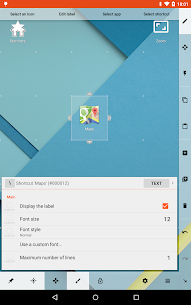
• Combined grid and free positioning: use the grid to easily align apps, use free positioning to adjust the size, position, and rotation of any item (including widgets).
• Pinned items: prevent any item from moving when scrolling your pages. This is handy to create docked elements anywhere on the screen, and more.
• Scripting support: use JavaScript to unleash the full Lightning power. Load user contributed scripts to extend your setup or create your own. With Lightning Launcher scripts, only the sky is the limit!
• And lots more: enhanced app drawer, panels, Tasker integration, lock screen, floating desktop,… Please visit the developer homepage for a detailed feature list, manual, and how-to.
Things to be aware of (please read this notice):
• With its wide set of options and switches, Lightning has a learning curve. But isn’t that a small price to pay to get the most exciting and unique home screen 😉 Join the user community to get tips and tricks!
Lightning is in constant evolution thanks to continuous and incredible user feedback (first release in August 2011). All comments, suggestions, and bug reports are welcome. For bug reports, suggestions, and any other questions, please visit the Lightning Launcher Community at https://community.lightninglauncher.com/.
Full ChangeLog: http://www.lightninglauncher.com/wordpress/change-log/
Enjoy!
Related apps
Square Home 4.1.2 Total_Apps 6.40 MB Premium Unlocked Tapet Wallpapers 11.000.155 Tapet 29.55 MB Premium Unlocked Aline: bold linear icon pack 3.5.3 One4Studio 39.28 MB Full Version AlineT: bold linear icon pack 3.5.3 One4Studio 47.07 MB Full Version Caelus: linear icon pack 5.4.3 One4Studio 38.64 MB Full VersionHow to install
- Download the APK file above to your phone.
- Allow “Install unknown apps” when prompted.
- Open the downloaded APK and tap Install.
- If the package includes OBB/XAPK data, follow the bundled instructions.
MOD APKs are modified builds, so Play Protect may show a warning. Install only if you trust the file; use at your own risk.