

Screenshots


Description
LAZY IPTVA simple and convenient application that allows its users to watch high-quality streaming video and listen to online radio stations. You can watch online TV channels, videos from YouTube, and the VKontakte social network.
Gameplay
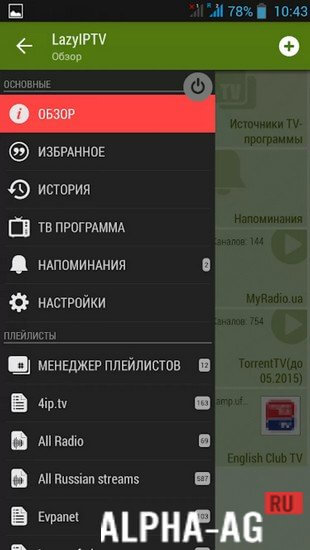
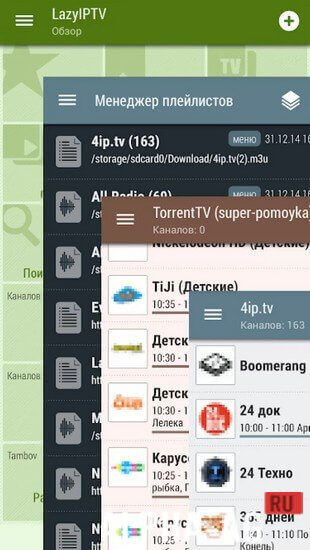
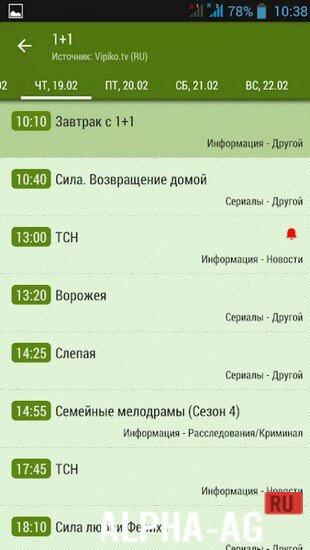
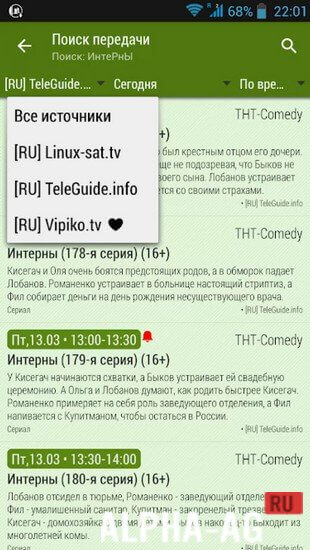
When you launch the app, the main screen displays all the primary functions, such as: favorite channels, viewing history, TV guide source, playlist manager, new playlist, and reminders. All this makes using the app as convenient as possible.
At first, you will need to add a new playlist, as the app itself does not contain any built-in playlists. To do this, you will need to download them from the internet in m3u or xspf format.
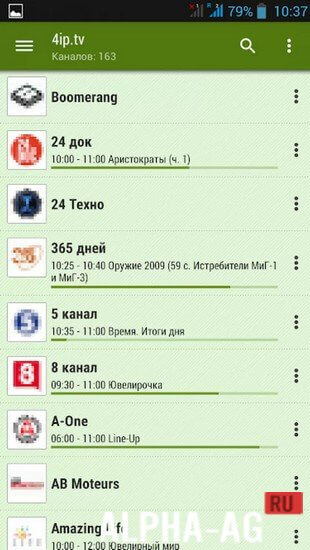
You can add them to the app either as an archive or uncompressed. Once you load a playlist, you will see a list of TV channels included in it.Tap on any TV channel and enjoy watching it. You can add your favorite TV channels to favorites for quick access.
In the history section, you can see all viewed TV channels in chronological order. Thanks to the reminder feature, you will never miss your favorite show or series again.Key Features
With this application, you will have the opportunity to watch hundreds of online TV channels with educational programs, sporting events, movies, cartoons, and more. The program supports playlists in m3u and xspf formats, and plays video from HTTP and IPTV streams.
It also supports direct links to videos from YouTube or the VKontakte social network. The app features parental controls, allowing you to monitor what your child watches and block access to specific TV channels or playlists.
0 Jan 15 Additional information:- Android version required: 4.2 or higher
- Age rating: 3+
- Russian localization: present
- Cache installation: not required
Subscribe to our YouTube channel!
Add a commentHow to install
- Download the APK file above to your phone.
- Allow “Install unknown apps” when prompted.
- Open the downloaded APK and tap Install.
- If the package includes OBB/XAPK data, follow the bundled instructions.
MOD APKs are modified builds, so Play Protect may show a warning. Install only if you trust the file; use at your own risk.