
MOD features
- Premium.
Screenshots
Description
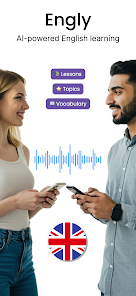
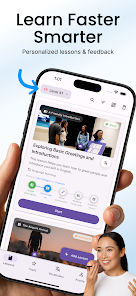
Engly AI is a smart English learning app built around real-life images and instant AI feedback. Rather than following fixed lessons for vocabulary or grammar, the app generates content tailored to each learner's goals, interests, and level, from A1 to C2. Users can learn from real-world photos, work on pronunciation, grow their vocabulary, and practice English in lifelike scenarios.
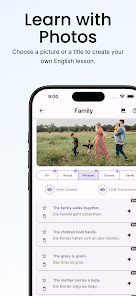
Learn English visually with Engly AI
What makes Engly AI different is its use of images in the learning process. Learners can snap a photo or pick an image to build a topic, then practice describing it in English. The content covers themes such as travel, work, technology, sports, everyday life, and real communication situations. Learning in context means vocabulary and sentence patterns come up naturally, instead of as isolated word lists to memorize.
The app suits a wide range of learners, from complete beginners to those with some foundation. Learning goals can center on travel, work, English exams, or everyday conversation, and the AI adapts the material to each learner's specific needs.
Practice speaking and get AI feedback
With Engly AI, learners don't just read; they can practice speaking through voice recognition. After describing an image or responding to a scenario, the system analyzes the answer and gives feedback on pronunciation, vocabulary, and grammar. The app also offers translations, explanations, and suggestions to help learners understand their mistakes.
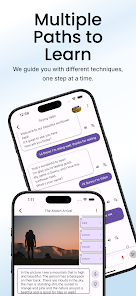
The AI conversation feature lets users keep discussing the topic they're studying. This is especially useful for practicing quick, natural responses rather than only completing multiple-choice exercises. Learners can also adjust the reading speed and choose a teacher's voice, according to the details listed on the App Store.
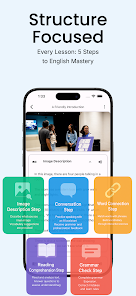
Vocabulary, reading comprehension, and grammar in one lesson
Beyond speaking practice, Engly AI brings several skills together in a single lesson. Once learners are familiar with the images and topic, they can discover new vocabulary, phrases, and collocations, view translations and examples in context, and save important words for later review.
The app also includes reading comprehension and listening sections with material related to the topic being studied. Users can read passages, listen to the narration, and answer questions to check their understanding. The grammar analysis feature helps review errors in spoken or written responses before moving on to the next lesson.
Tips and Guide for Engly AI
When you start with Engly AI, first define your learning goal, whether that's everyday communication, travel, work, or exam preparation. Then pick an image that interests you and try describing it in English without looking up words right away. Once you finish, review the AI's feedback to spot pronunciation, vocabulary, and grammar errors.
To build speaking confidence, answer out loud instead of only typing. After each lesson, save new words or phrases and use them in new sentences. Repeating vocabulary in different contexts helps you move beyond recognizing words while reading to actually using them in conversation.
Conclusion
Engly AI offers a distinctive way to learn English by combining images, AI, and speaking practice. From describing pictures and holding conversations to studying vocabulary and analyzing grammar, the app provides a complete learning environment for many proficiency levels. If you want to turn everyday situations into practice material, it's a creative choice.
How to install
- Download the APK file above to your phone.
- Allow “Install unknown apps” when prompted.
- Open the downloaded APK and tap Install.
- If the package includes OBB/XAPK data, follow the bundled instructions.
MOD APKs are modified builds, so Play Protect may show a warning. Install only if you trust the file; use at your own risk.