

MOD features
- Premium Unlocked
Screenshots
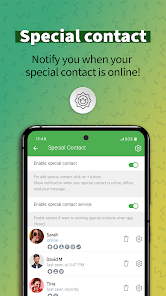
Description
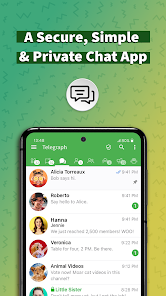
Built upon the official Telegram API, Graph Messenger is an alternative messaging client that brings all standard Telegram communication perks alongside an array of enhanced management utilities and customization options. Users can smoothly handle text messages, voice and video calls, document transfers, and several active profiles simultaneously under one unified roof. Furthermore, it regularly aligns with Telegram's latest upstream improvements.
Overview of Graph Messenger
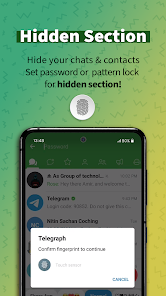
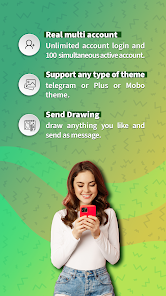
The most notable strength of Graph Messenger centers on its deeply upgraded system for handling accounts and dialogue threads. Jumping across profiles is entirely seamless without logging out repeatedly. Additionally, the Hidden Accounts utility lets you conceal specific profiles from the primary display, shielding your personal discussions behind a secure password or PIN code.
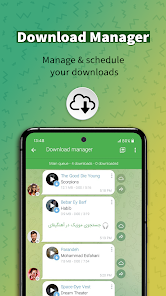
Beyond that, Graph Messenger integrates a dedicated Download Manager so you can easily supervise, halt, or continue downloading media and files whenever needed. A dedicated Timeline tab aggregates updates from diverse groups and channels into a single unified stream, while customizable Tabs and Folders keep your chat list meticulously sorted.
Flexible Message and Account Coordination
Graph Messenger packs numerous powerful options to streamline how you interact with conversations. You can arrange scheduled dispatches, remove chats in bulk, bookmark essentials, refine text prior to forwarding, or broadcast messages to multiple destinations simultaneously. Notably, the Special Forward option enables complete editing of wording, links, message sequence, and stripping unwanted info before sending.
To keep you responsive when away, the app delivers an automated Auto-Reply tool. Meanwhile, the Recent Chats Bar enables rapid transitions between your latest conversations without having to back out to the main menu, making day-to-day multitasking noticeably smoother.
Interface Customization and Extensions
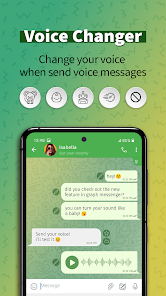
What truly sets Graph Messenger apart is its extensive visual and functional customization suite. You have full freedom to modify color schemes, themes, typography, and primary navigation layouts. It even comes with an integrated Voice Changer for audio calls and voice clips, an in-app sketch canvas, and a utility to craft personalized stickers from any photo.
On top of that, Graph Messenger bundles practical built-in tools including a lightweight web browser, a QR code reader, an AI assistant, and casual mini-games. The embedded AI Tools can summarize long texts, extract key insights, rephrase drafts, and evaluate the sentiment behind incoming messages.
Tips and User Guide for Graph Messenger
When getting started with Graph Messenger, organizing your profiles and structuring chat folders early on will give you a much cleaner workspace. If you handle multiple phone numbers, pair the Accounts Manager with the Hidden Accounts feature to segregate everyday accounts from private ones, and lock sensitive threads with a passcode.
For heavy downloaders handling media, clips, or large files, rely on the Download Manager to monitor transfers in one spot rather than digging through separate discussions. When circulating posts, tap into Special Forward to clean up text and URLs beforehand. Meanwhile, combining Timeline with the Hashtags+ section makes following topic-specific updates across multiple channels effortless.
Because Graph Messenger operates as a third-party client for Telegram, it is wise to review permissions thoughtfully before granting access. As indicated on Google Play disclosures, the application may collect personal details, location metrics, and supplementary data, occasionally sharing location points with third-party networks.
Conclusion
Graph Messenger significantly refines the core Telegram setup with multi-account support, a Download Manager, Timeline feed, Hidden Accounts, Auto-Reply, Special Forward, and extensive theme modifications. Packed with handy additions like an AI assistant, Voice Changer, and a quick-access Recent Chats Bar, it stands as an exceptional choice for power users seeking tailored control. If you want a flexible, feature-packed client for Telegram, Graph Messenger is an outstanding tool available on GameMod.dev.
How to install
- Download the APK file above to your phone.
- Allow “Install unknown apps” when prompted.
- Open the downloaded APK and tap Install.
- If the package includes OBB/XAPK data, follow the bundled instructions.
MOD APKs are modified builds, so Play Protect may show a warning. Install only if you trust the file; use at your own risk.