
Screenshots
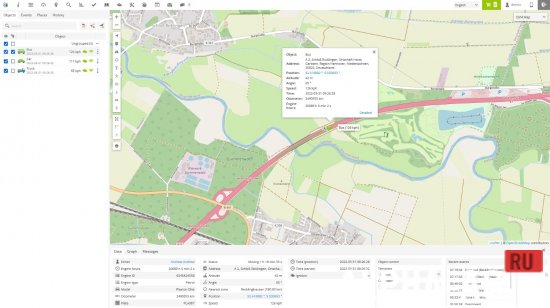

Description
GPS TrackerTo use the application, a personal account or hosted software is required.
Application Features
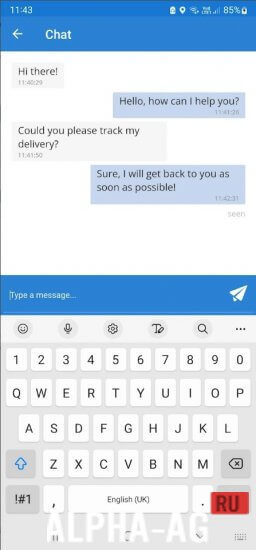
With the GPS Tracker application, you can track your device online in real time, record and view tracks, generate reports, configure various events and notifications, assign or schedule various tasks and delivery times, as well as communicate with the person on the other end using the built-in chat function.
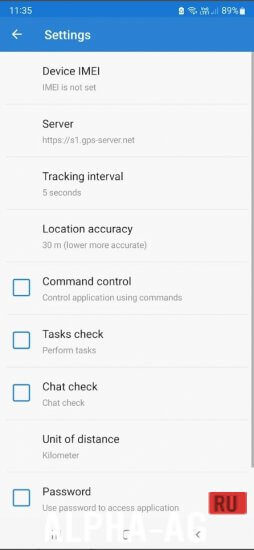
The application also allows you to take photos and upload them to the user account with the current location, change the tracking interval, and send the phone's battery level along with each location. If the internet connection is lost, the application will save the locations and upload them later.
In addition, it is possible to control the application via a web browser using commands and password protection, and it runs in the background.
Application Highlights
GPS-server.net provides a real-time tracking mode that allows you to receive data about tracked objects in real time without having to refresh the page or re-login to the account.
Tracked data includes vehicle status, latitude, longitude, altitude, address, speed, connection time, ignition status, fuel consumption, sensor data, nearest geofence, and much more.GPS-server.net also features widgets that display recent information about the object and update every ten seconds without the need to refresh the web page. You can send commands to control the device, view recent events, and check the mileage graph. Overall, the app and GPS-server.net provide a comprehensive set of features for real-time object tracking and management.
0 Jul 01 Additional information:- Android version required: 5.0 or higher
- Age rating: 3+
- Russian localization: present
- OBB/Data installation: not required
Subscribe to our YouTube channel!
Add a commentHow to install
- Download the APK file above to your phone.
- Allow “Install unknown apps” when prompted.
- Open the downloaded APK and tap Install.
- If the package includes OBB/XAPK data, follow the bundled instructions.
MOD APKs are modified builds, so Play Protect may show a warning. Install only if you trust the file; use at your own risk.