
Screenshots



Description
GMS InstallerWith this utility, every user can easily install all the necessary Google services on their mobile device. After installing these services, your smartphone will not differ from other devices with Google licenses.
Gameplay
Most Chinese mobile phones are not equipped with services from Google, and users cannot use their smartphone to the fullest without these apps.
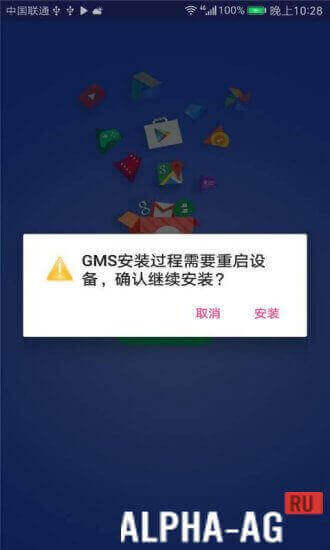
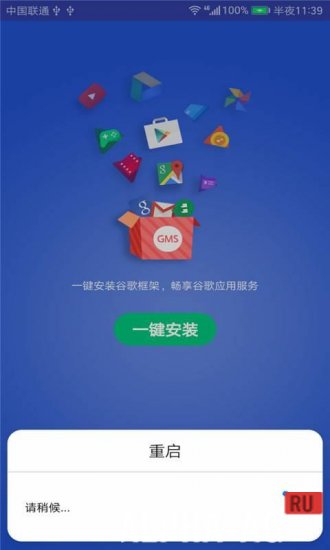
For example, Huawei mobile phones use an alternative analog of Google Services, such as Huawei Mobile Services.Therefore, users who want to install apps such as Google Play, Gmail, Google Maps, YouTube, and others on their phone must first install this app. After launching the app, you first need to install Google Mobile Services.
After all, without this service, Google services will not work on your device. And afterwards, you can install any app you need simply by selecting it and waiting a few seconds for it to install on your device.
Key Features
With this program, in just a few steps, you can install all the necessary services from Google on any of your mobile phones.
You will be able to install Google Play Market, Gmail mail, Chrome browser, YouTube, and others. The application is quite simple to master and comfortable to use, so any user can figure it out.On our website you can download the GMS Installer app for Android for free.
0 19 Jul Additional information:- Android version required: 4.2 or later
- Age restrictions: 3+
- Russian localization: present
- Cache installation: not required
Subscribe to our YouTube channel!
Add commentHow to install
- Download the APK file above to your phone.
- Allow “Install unknown apps” when prompted.
- Open the downloaded APK and tap Install.
- If the package includes OBB/XAPK data, follow the bundled instructions.
MOD APKs are modified builds, so Play Protect may show a warning. Install only if you trust the file; use at your own risk.