

Screenshots
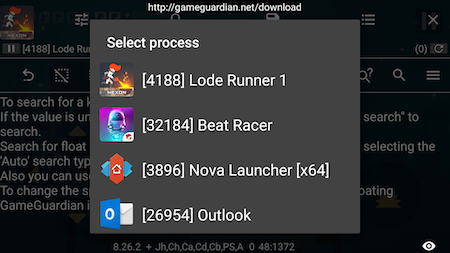
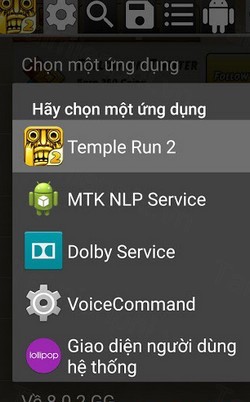
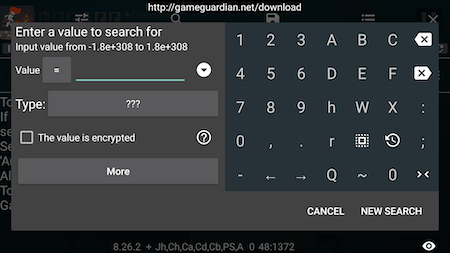
Description
Game Guardian stands as the top-rated game modification utility today, packed with advanced capabilities that let players adjust in-game currency, scores, and various parameters across multiple titles.
Download Game Guardian – A Handy Game Modding Utility for Android
Compatible with Android 2.3 and newer, Game Guardian for Android delivers seamless support across ARM, x64, and x86 architectures. This handy tool enables gamers to tweak playback speed, boost gold reserves, or alter any target attributes, making it effortless to customize resources and unlock premium items.
GameGuardian for Android features an intelligent search engine that can detect unknown numbers by tracking value changes over time. Players can batch-edit multiple entries at once, apply precise filters, and explore memory addresses with ease. Keep in mind that root access is required and it works best with simpler game architectures, remaining the go-to tool for mobile modding enthusiasts.
Key Features of Game Guardian
- Scan memory for in-game parameters
- Adjust custom gameplay attributes
- Modify currency and resource counts
- Fully functional across both online and offline releases
- Designed for rooted Android smartphones and tablets
Regularly refreshed with improvements by the creator
- Broad hardware compatibility spanning ARM, x64, and x86 setups, including leading emulators (LDPlayer, Droid4X, MOMO, KOPlayer, Andy, Memu, Leapdroid, AMIDuOS, Windroye, RemixOS, PhoenixOS, AVD, Genymotion, Nox, BlueStacks, and more)
- Compatible with Android versions ranging from 2.3.3 (Gingerbread) through Lollipop (5+), Marshmallow (6+), Nougat (7+), Oreo (8+), Pie (9+), up to Android 10+
- Operates in non-root environments using an independent virtual space.
- Compatible with popular console emulators including PPSSPP, ePSXe, GameBoy, and others
- Accelerate or decelerate gameplay on ARM and x86 platforms (including x86 emulation), with full 32-bit and 64-bit app support on 64-bit hardware.
- Scans and detects encrypted memory values.
- Detect unknown parameters by analyzing value fluctuations.
- Locate memory addresses utilizing mask patterns.
- Locate specific numbers with precise or fuzzy search modes.
- Search for text-based patterns including String, Hex, and AoB.
- Extensive data type support: Double, Float, Qword, Dword, XOR, Word, Byte, and Auto detection.
- Execute custom Lua scripts seamlessly.
- Batch-modify all matching search entries simultaneously.
- Refine search listings (filter by memory address or value thresholds).
- Execute scans seamlessly in the background.
- Bulk value-filling capability.
- Speed hack and time jump functionality.
- Dump and export device memory data.
- Duplicate memory values seamlessly.
- Fully customizable user interface.
- Offers multilingual support across more than 50 languages.
- Packed with numerous other powerful features.
How to Install Game Guardian Without Root Access
- To get started, download both VirtualXposed and Game Guardian onto your Android device using the links provided below.
- Next, install both APK files, launch VirtualXposed, and tap \"AddApp\" to import Game Guardian. Note: Ensure you allow all required permissions so the tool works properly. After finishing setup, simply launch your games inside VirtualXposed to start modding them with Game Guardian.
How to install
- Download the APK file above to your phone.
- Allow “Install unknown apps” when prompted.
- Open the downloaded APK and tap Install.
- If the package includes OBB/XAPK data, follow the bundled instructions.
MOD APKs are modified builds, so Play Protect may show a warning. Install only if you trust the file; use at your own risk.