
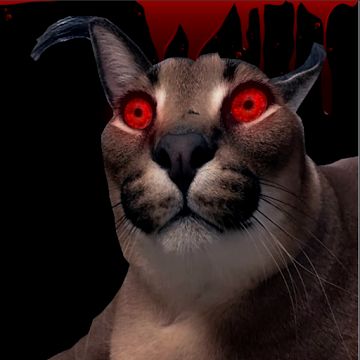
Screenshots

Description
Step into the shoes of a nighttime office security guard in Five nights at Floppa, a chilling survival horror game where eerie feline intruders do everything to terrify you. Survive shift after shift as each subsequent night ramps up the difficulty.
Five nights at Floppa immerses you in the tense life of a nocturnal office guard surrounded by creepy cats determined to frighten you away. Every cat displays distinct behaviors you must learn to counter to stay safe. Using a networked surveillance system, you can monitor individual offices and utilize various interactive items provided around your desk.
Become an Office Guardian
Taking up the night watch post in Five nights at Floppa reveals unusual activity right from the start. You must actively scan various sectors of the workplace using the wall-mounted surveillance cameras. Evade oncoming feline terrors who want nothing more than to chase you off, requiring you to understand each cat's habits and deploy the right defense.
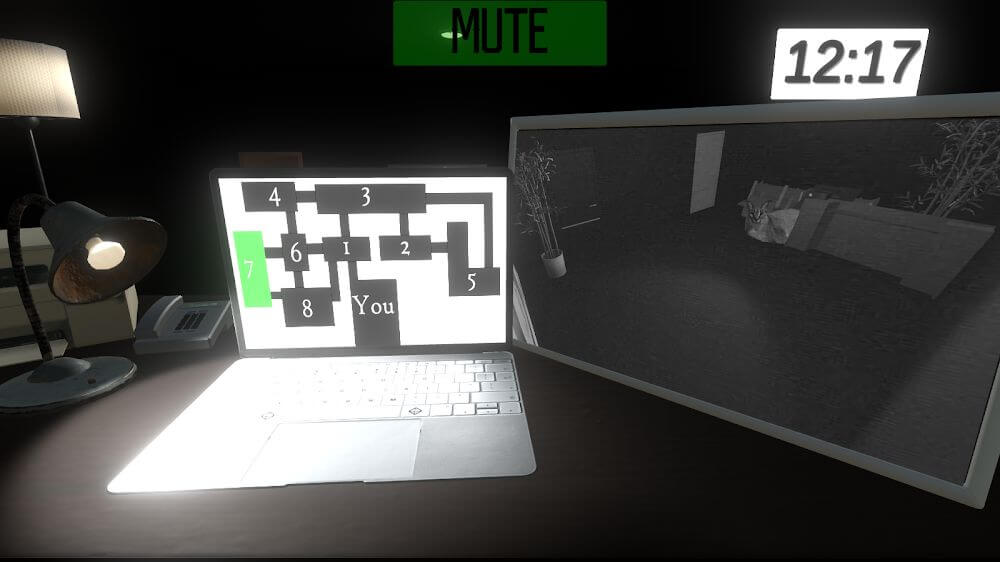
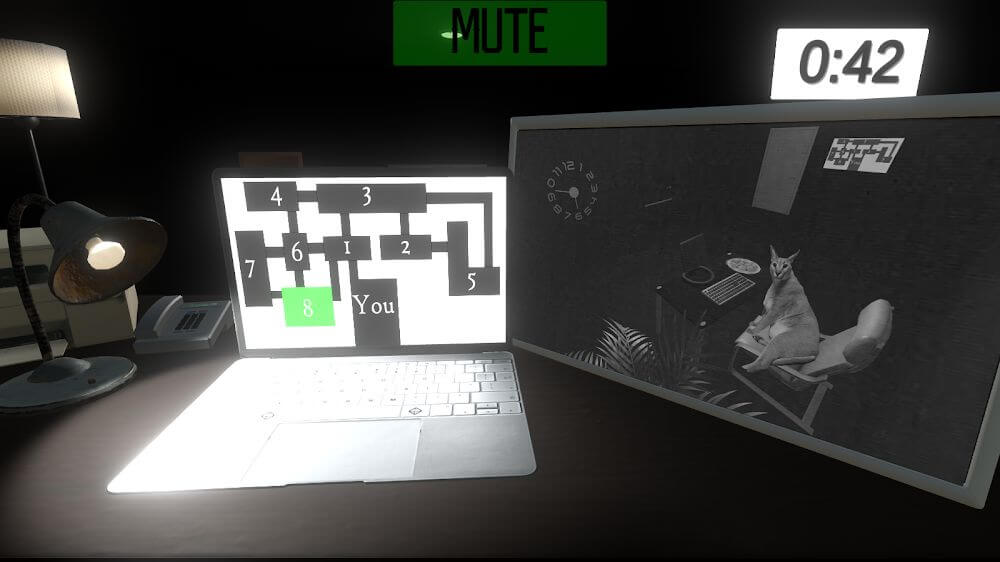
Stationed inside your small security post, you are equipped with a monitor, a laptop, and a desk lamp. Interacting with these tools is crucial for defending the workplace, helping you locate roaming felines and react accordingly. Although the controls and core loop are straightforward, keeping your eyes glued to the monitors is vital to staying alive.
Observe the Room Carefully
Starting Five nights at Floppa introduces you to the workplace layout and key gameplay rules. Learn every essential action, from manipulating office equipment to fending off encroaching cats. Once your shift starts on night one, keep an eagle eye on your video feeds while listening intently to nearby audio cues.
Monitoring the office network from your display reveals multiple feeds detailing each distinct area. Switching cameras brings interior rooms into view immediately, letting you check whether an unwanted cat is lurking nearby. Once spotted, quickly identify its behavior and take the appropriate defensive action.
Surviving relies on three primary survival tactics that demand vigilant watching and listening near your office door. If a cat shows up on a monitor, stare at it briefly until it moves away. Whenever a feline sneaks close to the television, instantly shut down all desk equipment to eliminate noise. Finally, if you hear scratching or knocking at your door, promptly flip on the desk lamp.
Overcoming Many Different Challenging Nights
A gripping highlight of Five nights at Floppa is how it keeps you glued to the screen every second. You must relentlessly toggle camera feeds on your laptop without dropping your guard for even a moment. Tracking movement across every sector ensures no cats get the drop on you, though you may still jump when a feline suddenly glares into the lens.
Surviving your shift means conquering consecutive nights packed with escalating hazards. The initial shift starts gently, with cats appearing only sporadically. A stage finishes when the countdown timer at the top hits dawn, meaning you must stay defensive against stalking felines until morning arrives.
Players will take charge of the night watchman and strive to hold onto their post across intense shifts:
- Master the straightforward survival basics before diving in, monitoring various office spaces via the camera feed.
- Switch between camera angles continually to keep tabs on office rooms and select the right countermeasure.
- Gather vital clues by scanning the surveillance feeds and listening for suspicious noises right outside your doorway.
- Staying alive demands non-stop surveillance monitoring to track feline movements and trigger room items at the right moment.
- Endure multiple nocturnal shifts while tracking the countdown clock to see how long remains until daybreak.
How to install
- Download the APK file above to your phone.
- Allow “Install unknown apps” when prompted.
- Open the downloaded APK and tap Install.
- If the package includes OBB/XAPK data, follow the bundled instructions.
MOD APKs are modified builds, so Play Protect may show a warning. Install only if you trust the file; use at your own risk.