
Screenshots




Description
Maple MediaSize
27 MBVersion
1.4.0Requirements
6.0Get it on
Mod Info
Premium Unlocked Report this app
Images
Description
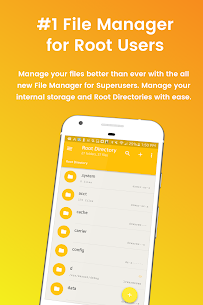
File Manager for Superusers by JRummy is a fully featured file manager & root explorer for rooted superusers to take control of their Android device and root files & folders.
Access all Root Directories
Explore & access all of your Android’s root directories & subdirectories with this advanced root browser
Cloud Storage
Now access your stored files and transfer files on Box, Dropbox, Google Drive, One Drive
Advanced Root Browser Features
Advanced features include a SQLite Database Editor, APK Analyzer, multi-pane navigation, ability to execute script files, ability to install zip files using clockwork recovery, and change file permissions and ownerships
Advanced File Manager & File Explorer Features
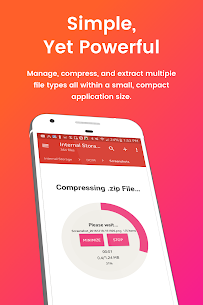
This fully featured file explorer will transfer content, copy and paste, compress, extract ZIP, RAR, BIN, TAR, JAR & APK files, unzip, delete, and move files between local drive, external storage and cloud storage
External File Manager
Access and trasnfer files, storage backup, USB Flash Drive manager, on the go support
Fully Customizable
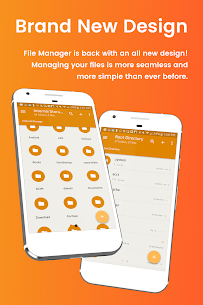
JRummy prides itself on offering users with a fully customizable experience including custom colors, themes, icons and file / view layout
Audio Manager & Music Player
File manager for mp3 files, ringtone manager
Video Player
Manage and watch your favorite video files
Organize your Android:
File Manager Root Explorer allows users to have full control over all device files. Search and access any file in your system directory, sort by name size & date, create, move, copy/paste, transfer (external transfer) and delete any file
Share your Files:
Cloud storage integration to transfer files between external storage and on-the-go devices. Send files by email to easily share with your contacts
File Manager for Superusers Features List:
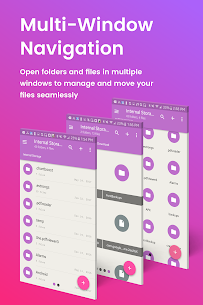
– Multi-Pane Navigation
– SQLite Database Editor
– Custom File Listing View
– APK Analyzer
– Batch copy/paste, zip, tar, delete, move any file or folder
– External file transfer
– Access APK, RAR, JAR, TAR & ZIP files apk, rar, jar, tar & zip files
– Audio Player
– Video Player
– Cloud Storage Integration
– Change file permissions and ownership
– View and edit any file
– sqlite explorer
– Text editor
– Move, copy, rename, and delete files.
– Create and delete directories (folders).
– Send files by email.
– Add new files & folders in any directory
– Install zip files using clockwork recovery
– Execute script files
– Show list of files with thumbnails for images.
– Bookmark any folder
– Open files and folders with other apps
– Change the theme (double tap home button)
– Sort by name, size & date
– Extract single files from zip/apks/jars
– Search for files or folders
Developer's apps
Player FM 8.2.1(27889) Maple Media 46.97 MB Premium Unlocked Pulse SMS 7.1.0.3046 Maple Media 37.06 MB Premium Unlocked ROM Toolbox Pro MOD APK (Full Version) 6.8.0(6513) Maple Media 40 MB Root Check 4.7.0 Maple Media 32 MB Premium Unlocked Skateboard Party 3 Pro 1.6.1 Maple Media 585 MB Full GameRelated apps
AdGuard 4.16.0 ADGUARD SOFTWARE LIMITED 56.82 MB Premium Unlocked Full Battery Charge Alarm 1.0.368 Syrupy 5.84 MB Premium Unlocked 1DM+ 20.0 Vicky Bonick 176.91 MB Full Version Video Converter, Compressor 20.16.0 Inverse.AI 60.07 MB Premium Unlocked txtpad — Notepad & TXT Editor 3.5.1-premium My Cat's Lab 17.20 MB Premium UnlockedHow to install
- Download the APK file above to your phone.
- Allow “Install unknown apps” when prompted.
- Open the downloaded APK and tap Install.
- If the package includes OBB/XAPK data, follow the bundled instructions.
MOD APKs are modified builds, so Play Protect may show a warning. Install only if you trust the file; use at your own risk.