
Screenshots
Description
- Home /
- Apps /
- Productivity
GxDevsSize
5.37 MBVersion
2.1.0Requirements
Varies with deviceGet it on
Mod Info
Premium Unlocked Report this app
Images
Description
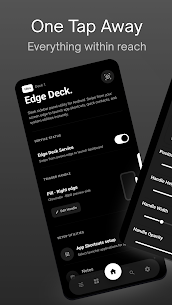
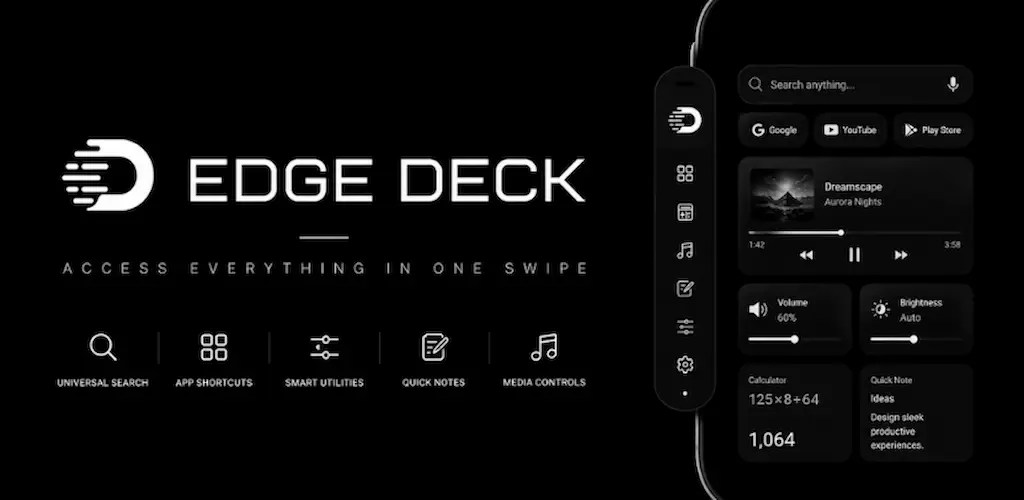
Edge Deck is a premium, highly customizable floating sidebar and camera notch utility panel designed to streamline your daily Android workflow. Access your favorite shortcuts, search tools, and widgets in a single fluid gesture from any screen or application.
Developed utilizing modern Jetpack Compose layouts and responsive spring physics, Edge Deck integrates seamlessly with your launcher, offering hardware-accelerated aesthetic overlays and dynamic placements.
Core Functional Sections:
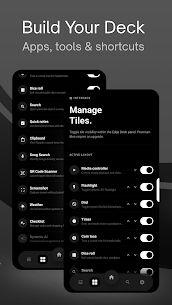
1. Feature Tiles System
* Draggable Audio & Brightness streams with automatic brightness toggle.
* Real-time 3D physics-based Coin Toss and Dice Roll simulator.
* Universal Calculator overlay and direct system application integration.
* Interactive Media Controller with album art render, scrubbing, and skipping.
* Quick Notepad to write down temporary ideas offline.
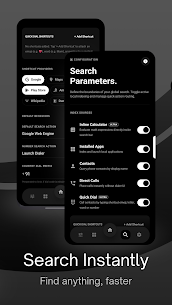
2. Universal Search Panel
* Real-time debounced app and contact indexing search.
* Direct search redirect shortcuts for Google, YouTube, and Play Store.
* Integrated numeric parser to trigger Call, SMS, and WhatsApp (wa.me) links.
* Speech-to-text voice recognition queries.
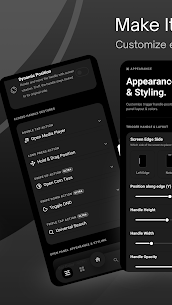
3. Placement & Positioning Options
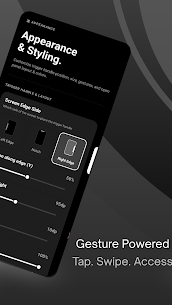
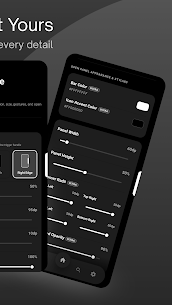
* Drag handles with custom width, height, corner radius, and opacity.
* Camera Notch Wrap: Automatically matches your camera cutout geometry (semicircle or teardrop punch-holes) and expands symmetrically.
* Left or Right edge screen configurations.
Tiers and Pricing Structure:
Free Tier:
* Pin up to 4 app shortcuts and 3 utility tiles.
* Clipboard management with access to the last copied item in plaintext.
* Capped search engine platform redirection (up to 2 shortcuts).
* Traditional side-placement configuration.
Premium Tier (One-time Purchase):
* Unlimited app shortcuts and utility tools. Includes an advisory scroll alert past 8 apps.
* Hardware-level AES-256-GCM local encrypted clipboard history (via Android Keystore).
* Premium real-time inline math equation solver in the search bar.
* Universal search platforms (Google, YT, Play Store).
* Notch placement widgets and custom gestures.
Security and Integrity Checks:
* Production-ready safety: Verified against native release signatures.
* Anti-tamper protection: Early-startup attestation against unauthorized modifications, root access, and debuggers.
Permissions & Safety:
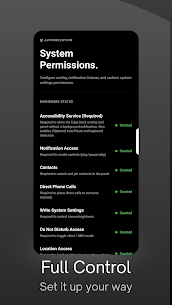
Edge Deck requires the Overlay permission to display the panels and standard system permissions to fetch contacts, toggle DND, capture photos for QR scanning, and manage system audio. No personal user data, clipboard text, or logs are collected, stored, or transmitted. Your data remains fully offline on your own device.
AccessibilityService API Usage
Edge Deck uses the AccessibilityService API solely to detect copied text and directly paste in input field also to save it to your local Clipboard History for instant access from the Edge Dock.
Zero Data Collection: We do not collect, transmit, or share your personal data. Everything is stored 100% locally on your phone.
Full Control: You can enable or disable this service anytime from System Settings.
Foreground Service Usage
Edge Deck runs a foreground service with a persistent notification to keep the Edge Handle and Notch Dock active and responsive over other apps. It can be stopped anytime from the app.
Developer's apps
Orion Launcher 2.0.4 GxDevs 8.76 MB Premium UnlockedRelated apps
FlyNote 1.12.7 Eco Mobile for Work 21.25 MB Premium Unlocked D Notes 2.6.2 Damian van den Berg 4.27 MB Premium Unlocked Universal File Opener & Editor 3.4.0 Krauq LLC 23.76 MB Pro Unlocked Root Explorer 4.12.10 Speed Software 6.72 MB Full Version File Manager 3.8.4 File Manager Plus 23.18 MB Premium UnlockedHow to install
- Download the APK file above to your phone.
- Allow “Install unknown apps” when prompted.
- Open the downloaded APK and tap Install.
- If the package includes OBB/XAPK data, follow the bundled instructions.
MOD APKs are modified builds, so Play Protect may show a warning. Install only if you trust the file; use at your own risk.