
Screenshots
Description
MOD Download 0
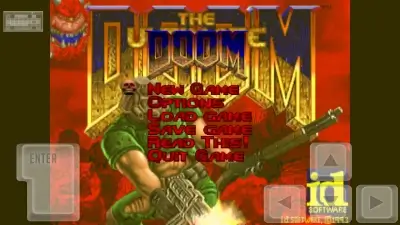
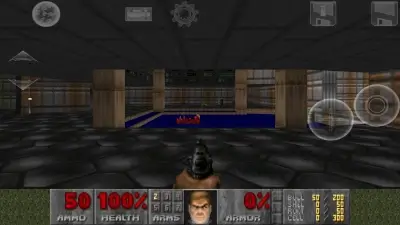
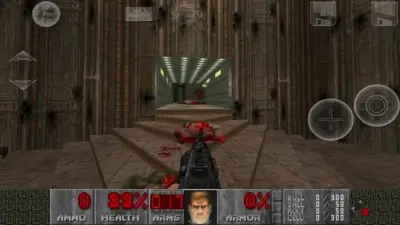
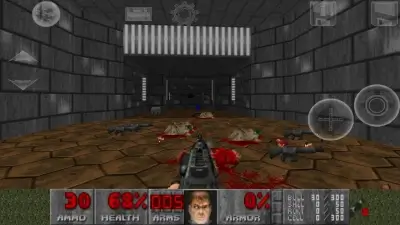
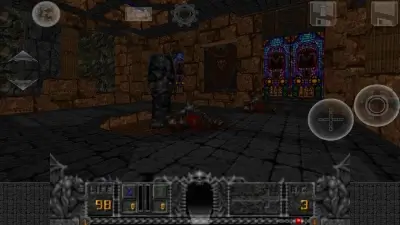
DOOM (Touch) - A high-quality unofficial port of the classic DOOM I and DOOM II games for Android. DOOM Touch (Port of DOOM) has preserved all sounds, objects, graphics, and other elements from the original computer version of the game. There is the ability to customize controls. You will be able to choose the location of the buttons and their size, as well as adjust the sensitivity of the analog control or connect a gamepad.
Build Features (by FuRReX):
- Original Cache build (MegaWad's + Mods);
- Cache build adaptation for current Android versions;
- Tested on Android 9.0 and Android 13.0.
- (MAIN) DOOM (doom.wad);
- (MAIN) DOOM 2 (doom2.wad);
- (MAIN) Final DOOM: TNT Evilution (tnt.wad);
- (MAIN) Final DOOM: The Plutonia Experiment (plutonia.wad);
- Blasphemer (v0.1.8) (blasphemer_0_1_8.wad);
- FreeDoom: Phase 1 (v0.13.0) (freedoom1_0_13_0.wad);
- FreeDoom: Phase 2 (v0.13.0) (freedoom2_0_13_0.wad);
- HACX (v1.2) (hacx.wad);
- Harmony (v1.1) (harmony.wad);
- Heretic (heretic.wad);
- Hexen: Deathkings of the Dark Citadel (hexdd.wad);
- Hexen: Beyond Heretic (hexen.wad);
- Strife: Quest for the Sigil (strife.wad).
- ALIENS: The Ultimate Doom (v9.2 Beta) (aliens-the-ultimate-doom-beta-9_2.pk3);
- Brutal Doom (v22 Beta Test 3) (brutal_doom_v22test3.pk3);
- Brutal Doom: Dark Nightmares (v5.5.0 / 2.1) (1_brutal_doom_dark_nightmares.pk3 + 2_bbdn_no_recoil_patch.pk3);
- Doom4: Death Foretold (D4T) (v2.5) (death-foretold-2_5.pk3);
- Doosk (v14/02/24) (1_doosk_x.pk3 - 5_doosk_x.pk3);
- HDoom (techdemo10) (m12-hentai_techdemo10.pk3);
- Destroyer Of Hell (v1.4) (destroyer_of_hell_v1_4.wad);
- DIO (v3) (dio_doom_v3.wad);
- JoJo (v1.5) (jojo_v1_5.wad);
- Serious Sam meets Doom (redefined) (searioussam_mod.wad).
- Download and install the APK (DOOM Touch);
- Launch the installed APK (DOOM) and grant permission to "Storage" (access to files in storage) (relevant for new versions of Android OS);
- Download and unpack the Cache to the path:
SDCard/Beloko/Doom/FULL - Only for APK version (DOOM Touch v4.1), unpack the "eawpats.zip" archive to the folder:
For APK (DOOM Touch v4.2), skip this step!
SDCard/Beloko - Go to DOOM Touch, check the "OPTIONS" path "Beloko Folder" (the folder with game files), it should be:
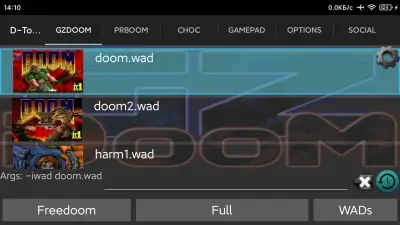
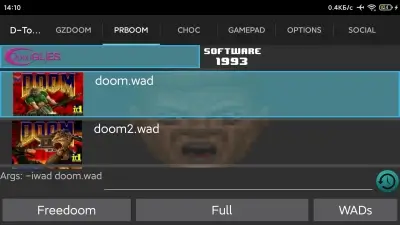
storage/emulated/0/Beloko - In the "GZDOOM", "PRBOOM" or "CHOC" tab, select any ".wad" file and press the "Full" button;
- If the game started, then everything was done correctly.
How to install a mod on DOOM Touch:
- Open the "D-Touch (DOOM Touch)" application;
- In the "GZDOOM", "PRBOOM" or "CHOC" sections, press the "WADs" button in the lower right corner;
- Next, we have 2 folders, "wads" and "mods", activate or combine mods from them (if the mods are numbered, you need to select them in sequence of numbering);
- Press the "Full" button;
- Installation complete.
- Enable the mod;
- In the menu, go to the "BRUTAL DOOM OPTIONS" tab;
- Select the "BD LEVEL OPTIONS" item;
- Find the "MAP ENCHANCEMENT SYSTEM" item and switch it to "DISABLED".
- All mods from the collection (FuRReX) are compatible with the original "DOOM I", "DOOM II", "Final DOOM: TNT Evilution" and "Final DOOM: The Plutonia Experiment", but some, such as "Brutal Doom" and "HDoom", are also compatible with other "megawads".
- If, after combining a mod(s) and any "megawad", DOOM Touch does not crash, then everything is compatible.
- If the wad in the mods is crooked or broken, delete the configuration file "zdoom.ini" at the following path (this will reset all modification settings):
SDCard/Beloko/Doom/FULL/gzdoom
- Version 4.2 - Includes "eawpats.zip" (music for levels) and built-in "FreeDoom: Phase 1 (v0.9)" + "FreeDoom: Phase 2 (v0.9).
- Version 4.1 - Does not include "eawpats.zip" (music for levels) and built-in "FreeDoom: Phase 1 (v0.9)" + "FreeDoom: Phase 2 (v0.9).
Screenshots
31 46 77


Information
Version 4.2 OS(MIN) Android 4.0.3+ Language English Developer Open Touch Gaming Status Modification Root Not required Tags Beloko, DOOM 1, DOOM 2, DUM for Android, DOOM for Android, DOOM ModsHow to install
- Download the APK file above to your phone.
- Allow “Install unknown apps” when prompted.
- Open the downloaded APK and tap Install.
- If the package includes OBB/XAPK data, follow the bundled instructions.
MOD APKs are modified builds, so Play Protect may show a warning. Install only if you trust the file; use at your own risk.