
Screenshots
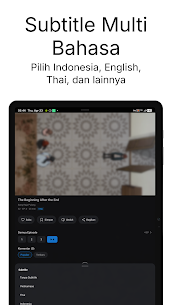
Description
- Home /
- Apps /
- Entertainment
Dongha 1.4.1
- Entertainment
Dongha is an app designed for watching anime and donghua in a smoother, more convenient, and personalized way. TELEGRAM Report Developer EPE Mini Studio Size 29.67 MB Version 1.4.1 Requirements Varies with device Get it on Mod Info Premium Unlocked
- Telegram
Report this app
Images
Description
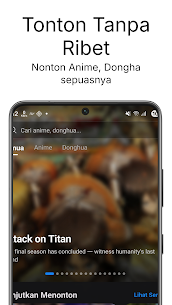
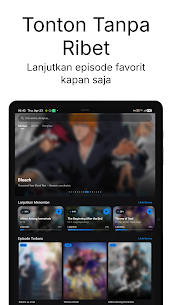
Dongha lets you enjoy anime and donghua with a more streamlined and tailored viewing experience. Browse the newest titles, keep track of your favorite series, and resume exactly where you stopped without any hassle.
Key features of Dongha:
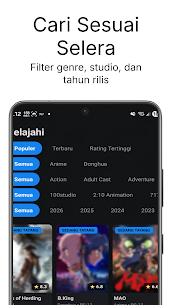
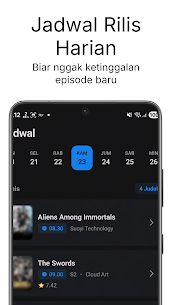
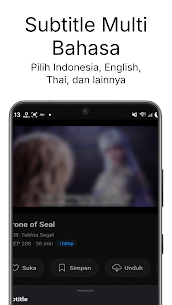
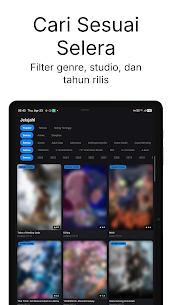
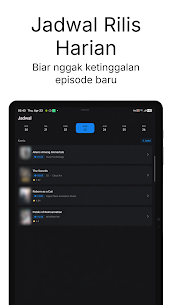
– Stream anime and donghua with Indonesian subtitles and adjustable subtitle options – Quickly search for your favorite titles or browse by genre, category, year, popularity, latest releases, and top ratings – Check the daily broadcast schedule so you never miss a new episode – Add series to My List and pick up from your watch history – Download episodes for offline viewing, with a download queue, progress tracking, and the ability to pause and resume – Follow your favorite shows and receive notifications for new episodes, new series, and replies to your comments – Take part in the community by commenting on episodes – Switch the app language between Indonesian, English, and Malay, and set your default subtitles, default video quality, and subtitle display to suit your preferences
Dongha is built for anime and donghua fans who want a simple yet complete viewing experience. Whether you're looking for new titles, following broadcast schedules, or watching offline on the go, you can do it all more conveniently within a single app.
Related apps
Castle 2.1.3 Castle 41.25 MB Premium Unlocked TikHot 2.3 tikhot.app 6.69 MB No Ads MinuteDrama 7.0.0.5 MicroSingularity 41.36 MB Premium Unlocked Soda Reels 3.7.1 LY Technology 64.76 MB VIP Unlocked YouDrama 1.3.22 Dovi Tools 45.85 MB Premium Unlocked
How to install
- Download the APK file above to your phone.
- Allow “Install unknown apps” when prompted.
- Open the downloaded APK and tap Install.
- If the package includes OBB/XAPK data, follow the bundled instructions.
MOD APKs are modified builds, so Play Protect may show a warning. Install only if you trust the file; use at your own risk.