

Screenshots


Description
AgniTeckSize
50 MBVersion
1.0.13Requirements
7.0Get it on
Report this app
Images
Mod Info
- Premium Unlocked
Description
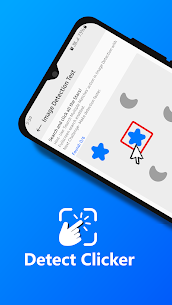
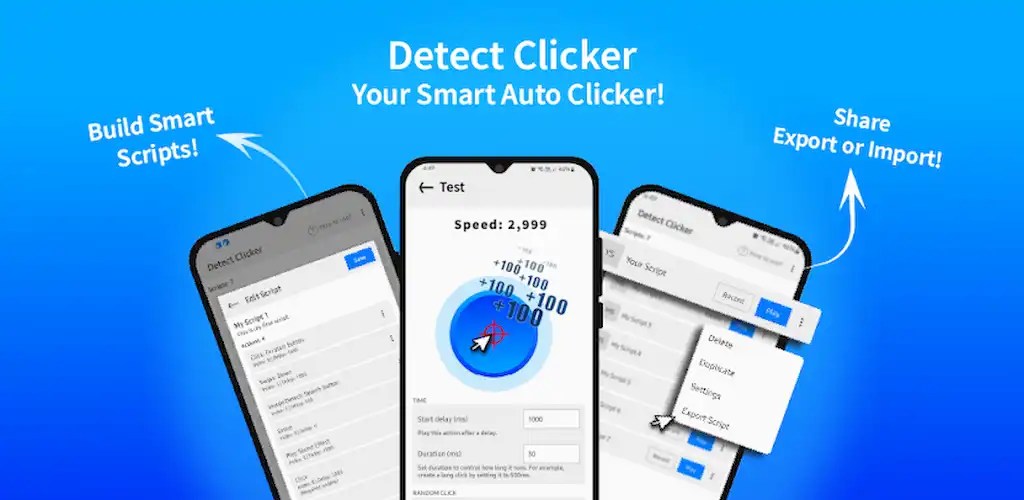
This app simplifies repetitive tasks by automating taps, swipes, and other gestures using advanced image detection. You select specific on-screen elements manually, and the app instantly recognizes them. Once detected, it executes the exact action you configure—whether that is tapping, swiping, or performing another gesture. By eliminating manual repetition, the app streamlines workflows and increases efficiency.
Key Features
Image Detection for Precise Automation
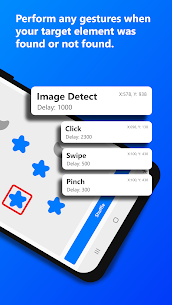
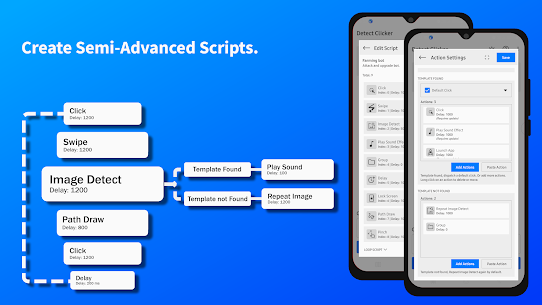
The app scans your screen for selected images and responds based on whether it finds them. When it detects your chosen visual element, it immediately performs the assigned gesture. If the image does not appear, it can trigger alternative actions according to your setup. This intelligent detection ensures reliable and context-aware automation.
Intuitive and User-Friendly Interface
You can configure taps, swipes, image detection, and other gestures through a clean and straightforward interface. The design focuses on clarity and ease of use, allowing you to build automation sequences quickly without technical complexity.
Import and Export Scripts with Ease
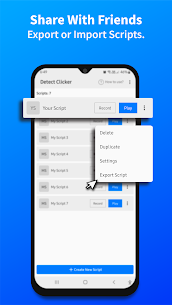
The app allows you to back up your automation scripts effortlessly. You can export them for safekeeping or share them with friends. Importing scripts is just as simple, making collaboration and migration seamless.
Flexible Script Repetition and Timing Control
You control how frequently each action repeats. Adjust time intervals, create loops, and fine-tune execution timing to match your needs. This level of precision enables you to build consistent, reliable automation routines tailored to specific tasks.
Unlimited Script and Macro Creation
You can create and store unlimited scripts or macros. There are no restrictions on how many automation routines you design, giving you complete flexibility to manage different workflows.
Comprehensive Gesture Support
The app supports a wide range of gestures, including single tap, long press, double tap, swipe, drag and drop, and pinch or zoom. You can combine these gestures with loops and delays to create sophisticated automation sequences.
Additional Powerful Actions
Automatically Turn Off the Screen
The app can turn off the display during automation. This feature reduces battery consumption and optimizes device performance while scripts run in the background.
Play Sound Effects During Execution
You can enable optional sound cues that play while a script runs. These audio signals help you monitor automation progress without constantly checking your screen.
Switch Between Scripts Seamlessly
The app allows you to transition from one script to another while automation is active. This functionality supports dynamic workflows and complex task chains.
Record and Replay Gestures
You can record your gestures in real time and replay them accurately whenever needed. This feature ensures precise replication of manual interactions.
Advanced Customization Options
You can add delays, configure loops, and apply other adjustments to refine each step. The app gives you granular control over how your automation behaves, ensuring it fits your exact requirements.
Build Semi-Advanced Personalized Scripts
With its wide range of actions and customization tools, the app enables you to design personalized automation scripts that go beyond basic tasks. You can combine multiple triggers and gestures to create efficient, semi-advanced workflows.
Important Note
The app requires Accessibility Service permission to perform automated clicks, press navigation buttons, and execute related actions. It does not collect, store, or share any user data.
Related apps
Insget 3.14.4 Spaple 88.09 MB Premium Unlocked Poke Genie 8.19.1 Poke Genie 107.92 MB NekoBox+ 1.4.2-101 NekoBox+ 159.46 MB No Ads Inure App Manager build107.3.0 Hamza Rizwan 25.96 MB Premium Unlocked SmartCookieWeb 17.0-beta3 SmartCookieWeb 5.40 MB No AdsHow to install
- Download the APK file above to your phone.
- Allow “Install unknown apps” when prompted.
- Open the downloaded APK and tap Install.
- If the package includes OBB/XAPK data, follow the bundled instructions.
MOD APKs are modified builds, so Play Protect may show a warning. Install only if you trust the file; use at your own risk.