
Screenshots

Description
- Home /
- Apps /
- Tools
DeskDock PRO 1.2.4-pro
- Paid
- Tools
DeskDock lets you seamlessly control your Android device using your PC's keyboard and mouse over a USB connection. Developer Florian Draschbacher Size 2 MB Version 1.2.4-pro Requirements Android 4.4+ Mod Info Full Version Unlocked
- Telegram
Report App
Screenshots
Overview
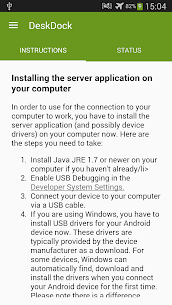
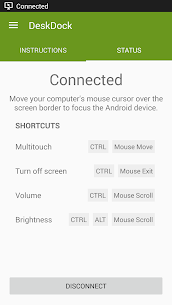
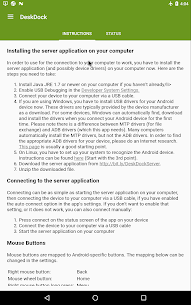
DeskDock PRO lets you share your PC mouse and keyboard with Android devices over a simple USB cable. It turns your smartphone or tablet into a virtual secondary monitor: just slide your cursor past the edge of your computer monitor to navigate and interact with your Android screen instantly.
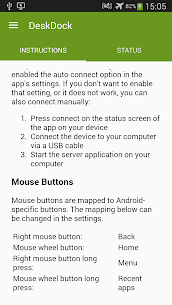
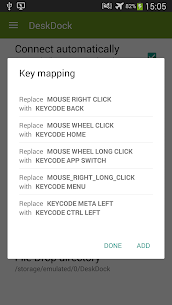
Key Features • Navigate and type on Android devices directly with your desktop mouse and keyboard • International keyboard layouts fully supported (including umlauts) • Unified clipboard sharing across PC and connected Android hardware • Drag-and-drop convenience: open web links instantly or install APK files with ease • Handy shortcut actions for display sleep, multitouch gestures, volume control, and brightness adjustments • Cross-platform desktop compatibility across Windows, macOS, and Linux • Full support for all Android releases from version 4.1 onward • No root access needed • Connect and operate several Android gadgets simultaneously on a single computer • Fully customizable device screen layout and positioning • Rebind mouse buttons to custom triggers • Adjustable pointer sensitivity • Fully optimized for Android Nougat
Serving as a modern spiritual successor to ShareKM or a mobile counterpart to Synergy, this tool functions effectively as a lightweight software KVM switch. Its seamless cross-device clipboard brings an experience very similar to Apple's Universal Clipboard on iOS and macOS.
More from Developer
ReverseTethering NoRoot Pro 1.2.2-pro Florian Draschbacher 2 MB
Similar Applications
Insget 3.14.4 Spaple 88.09 MB Premium Unlocked Poke Genie 8.19.1 Poke Genie 107.92 MB NekoBox+ 1.4.2-101 NekoBox+ 159.46 MB No Ads Inure App Manager build107.3.0 Hamza Rizwan 25.96 MB Premium Unlocked SmartCookieWeb 17.0-beta3 SmartCookieWeb 5.40 MB No Ads
How to install
- Download the APK file above to your phone.
- Allow “Install unknown apps” when prompted.
- Open the downloaded APK and tap Install.
- If the package includes OBB/XAPK data, follow the bundled instructions.
MOD APKs are modified builds, so Play Protect may show a warning. Install only if you trust the file; use at your own risk.