

Screenshots




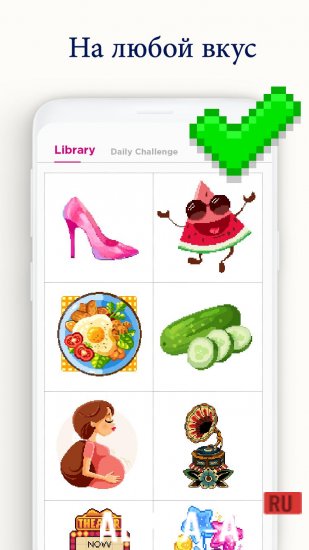



Description
Daily PixelDive in and create a beautiful pixel art masterpiece with a single touch of your finger.
Gameplay
For those who love coloring books, the game brings them right to the screen of your mobile phone.
Focusing on pixel art style images, the app offers several different themed images to color, and some even animated.For coloring, simply select an image available in the gallery. Each image has all the colors that need to be applied to the drawing, marked and numbered at the bottom of the screen. The picture itself is displayed in shades of gray.
And when zoomed in, you can see that each square (representing a pixel) also has a number equivalent to the required color.
By tapping the color you want to start with, the game highlights all the pixels needed to complete that stage.And, in this way, fully colors the picture. When a color has no more gaps to fill, the app also marks it as completed so the user always knows what to do next.
Various themes and difficulty levels
The app has a level system: each level you earn unlocks a group of images, in which each level gives you the experience needed for your progression.
When you raise your level, the complexity of the images increases. In addition to level tasks, the app delivers new art daily with special rewards and experience.
On our site You can download the Daily Pixel app for Android for free.
0 02 Dec Additional information:- Required Android version: 4.3 or later
- Age restrictions: none
- Russian localization: present
- Cache installation: not required
Subscribe to our YouTube channel!
Leave a commentHow to install
- Download the APK file above to your phone.
- Allow “Install unknown apps” when prompted.
- Open the downloaded APK and tap Install.
- If the package includes OBB/XAPK data, follow the bundled instructions.
MOD APKs are modified builds, so Play Protect may show a warning. Install only if you trust the file; use at your own risk.