
MOD features
- Premium Version
Screenshots
Description
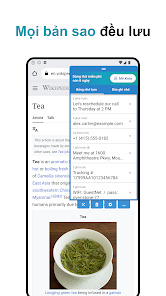
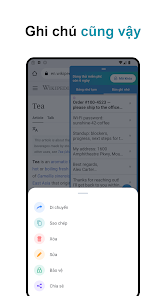
Clipboard is an essential Android utility designed to help you capture, organize, and retrieve copied text whenever needed. Going far beyond the basic system clipboard, it automatically records your copy history, includes a handy note-taking pad, and offers quick-access text templates. Plus, with its convenient floating overlay, copying and pasting across different applications becomes effortless.
Save Copy History and Quick Templates
A major highlight of Clipboard is its automatic background logging for copied snippets. The log stores up to 1,000 items, automatically cycling out the oldest records as fresh ones arrive. Finding what you need is straightforward thanks to flexible sorting options by date (newest or oldest) or alphabetical order.
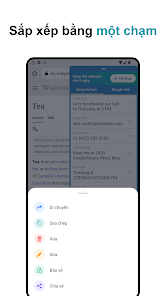
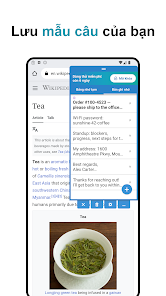
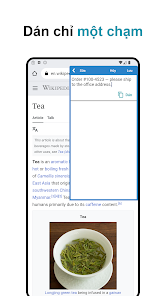
Beyond tracking your copy log, the app provides a dedicated memo space for recurring snippets. Whether you need fast access to home addresses, canned responses, phone numbers, or repetitive phrases, you can store them neatly and paste them instantly with a single touch.
Floating Window for Rapid Copy and Paste
Clipboard brings an intuitive floating overlay directly over any active screen. You can freely reposition the floating trigger icon while tailoring its color palette and transparency level to match your taste. This smart overlay eliminates the hassle of switching between apps whenever you handle text.
You can also launch your clipboard hub directly from notification alerts or Quick Settings tiles. If you regularly handle multiple paragraphs, web links, or repetitive copying tasks, this shortcut cuts down extra taps and speeds up your workflow.
Search, Backup, and Smart Storage Controls
In addition to managing your logs, Clipboard provides an instant web search shortcut whenever you select and copy a phrase. It integrates seamlessly with the standard Android share sheet for saving snippets directly, and you can enable compatibility toggles to capture copied text from messengers like LINE or WhatsApp effortlessly.
Your history and notes can be securely backed up as a ZIP archive or exported into TXT, PDF, and PNG files. To keep things tidy, you can set customized auto-deletion time limits for recorded entries. For visual comfort, the UI supports light, dark, and an AMOLED-friendly pure black theme.
Tips and Usage Guide for Clipboard
Once you set up Clipboard, be sure to enable the requested Accessibility Service permission to take advantage of real-time copy tracking and instant auto-paste functionality. The creator emphasizes that content is stored locally right on your device and is never transmitted externally.
For a smoother experience, organize your important, repetitive snippets into the memo area rather than cluttering your temporary copy log. When handling sensitive text like credentials, one-time passwords, or personal account details, exercise caution and take advantage of automatic clearing rules.
The standard edition offers a 7 days trial allowing full access to all features. Once the trial concludes, upgrading to the complete experience requires only a one-time purchase without recurring subscription fees.
Conclusion
Clipboard delivers a far superior copy-paste experience compared to Android's built-in tool. Combining automated history retention, custom memos, canned templates, floating window access, rapid search, backup tools, and scheduled clearing, it is a fantastic productivity booster for heavy texters. Having your clipboard and quick memos unified in one place guarantees your vital text is always at your fingertips.
How to install
- Download the APK file above to your phone.
- Allow “Install unknown apps” when prompted.
- Open the downloaded APK and tap Install.
- If the package includes OBB/XAPK data, follow the bundled instructions.
MOD APKs are modified builds, so Play Protect may show a warning. Install only if you trust the file; use at your own risk.