

Screenshots

Description
Buttons remapper is a versatile Android tool designed to map on-screen touch gestures to your device's physical buttons, completely transforming the standard touchscreen smartphone experience.
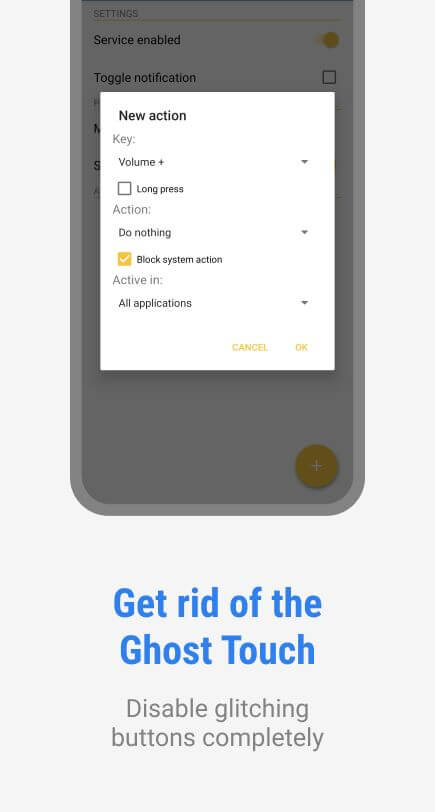
Touchscreens can often be frustrating when displays become unresponsive, suffer from ghost touches, or freeze up. Additionally, senior citizens, young kids, individuals with limited motor skills, or visually impaired users often struggle with precise touch controls. Buttons remapper addresses these challenges directly by letting you substitute everyday touchscreen inputs with tactile hardware button presses.
Change Touch Operations to Hard Key Operations
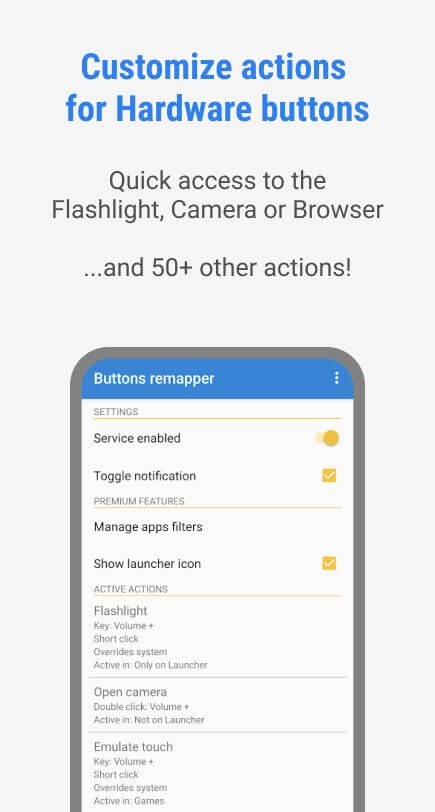
Buttons remapper introduces an intuitive input system that reconfigures how your smartphone processes hardware triggers. Instead of simply turning the display on or off with the power key, you can assign it custom actions, such as a single click to launch the camera or a double press to toggle the flashlight. The utility supports physical components including the power key, volume rockers, and physical home button, bypassing on-screen touch elements entirely.
Easier to Open Browser, Camera, or Other Apps
Once you map specific commands to your phone's physical keys, using them becomes second nature. A single tap or long press on a physical button instantly fires up your web browser, snaps a photo, or turns on the torch, making smartphone navigation accessible even for users who dislike touch inputs.
This shortcut mechanism saves precious time when opening your favorite apps. While memorizing button combinations might take a little practice at first, physical key controls soon become remarkably intuitive and far more reliable than tapping a glass display.
Incorporating Many New Features
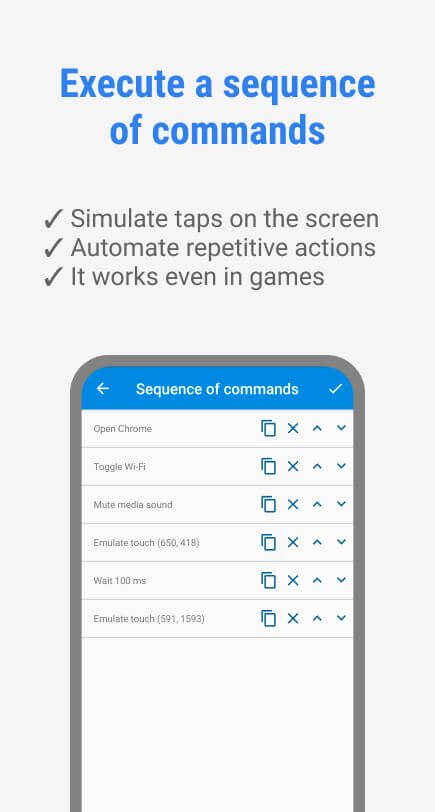
Beyond basic shortcuts like opening apps or toggling lights, Buttons remapper supports advanced button combinations. You can browse articles while snapping screenshots or starting a screen recording via physical keys, or jump straight into your media player and fine-tune playback volume without ever touching the screen. Even complex multi-key inputs are processed smoothly and simultaneously.
Change the Commands Whenever You Want
Not sure which key layout suits your workflow best? Experiment freely. If an assigned shortcut feels awkward, you can rebind your keys anytime within the configuration panel. Remapping is entirely unrestricted, allowing you to modify and fine-tune shortcuts until your setup feels effortless.
Handy Setup for Everyone
Touch displays frequently misbehave over long sessions, in wet weather, or when you are operating a vehicle. Buttons remapper provides a practical workaround by letting you answer phone calls, manage playback, and run crucial tasks without touching the glass. This functionality is especially beneficial in harsh environments or as an essential accessibility aid for people with disabilities.
Key Features
- Replace on-screen taps with tactile button presses, enabling instant single-click or multi-tap access to your torch, camera, and web browser.
- Works exclusively with external physical keys including power, volume, and home buttons without interfering with touch-panel inputs.
- Easily customize and remap actions inside the settings menu anytime with zero limitations.
- Trigger multi-action combos through a single physical button, such as managing audio playback while adjusting brightness levels.
- Delivers an ideal accessibility solution for one-handed operation, wet weather, driving, or users with motor impairments.
How to install
- Download the APK file above to your phone.
- Allow “Install unknown apps” when prompted.
- Open the downloaded APK and tap Install.
- If the package includes OBB/XAPK data, follow the bundled instructions.
MOD APKs are modified builds, so Play Protect may show a warning. Install only if you trust the file; use at your own risk.