
Screenshots
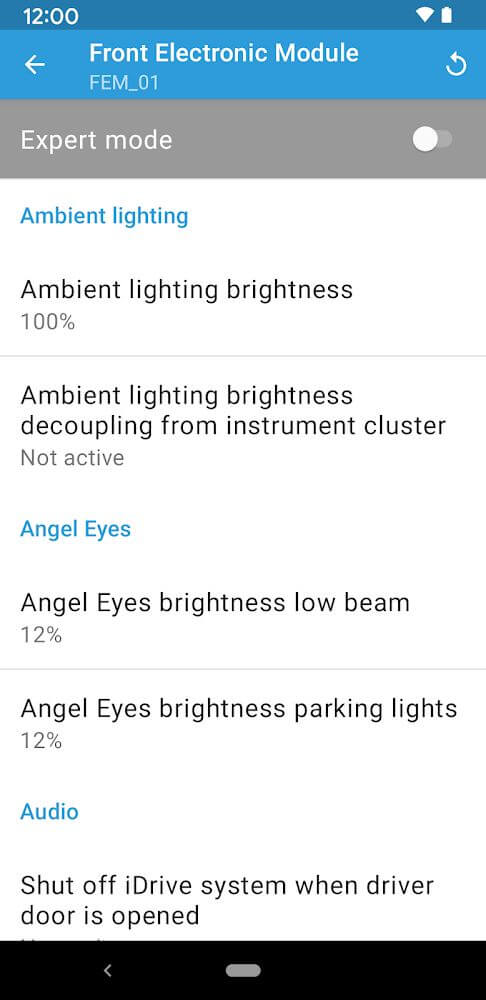
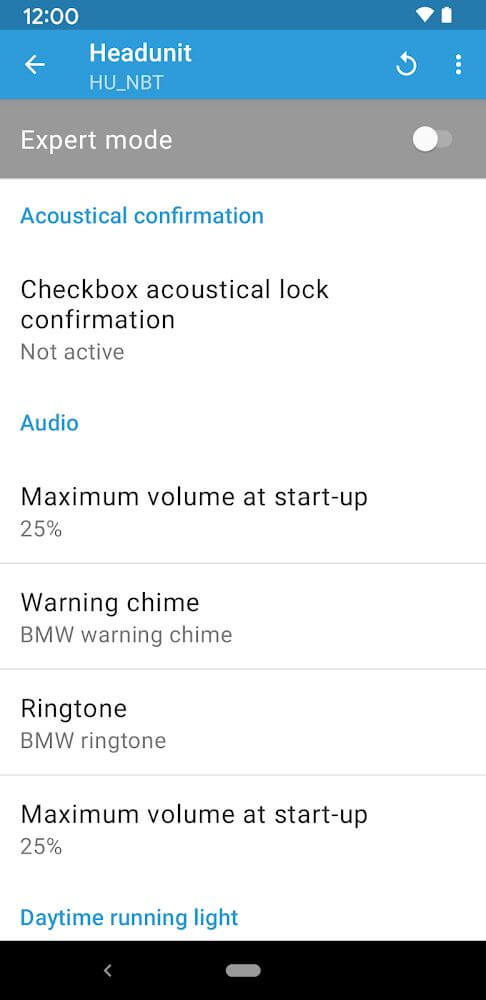
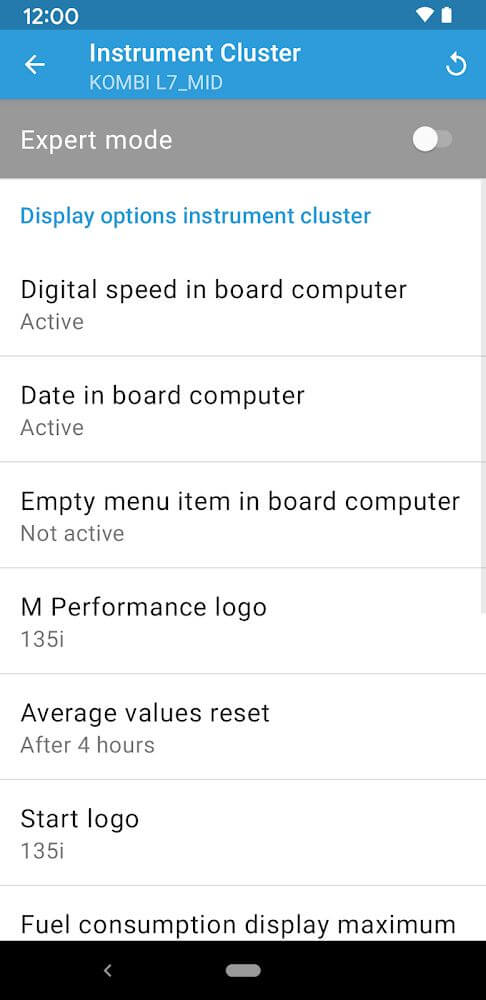
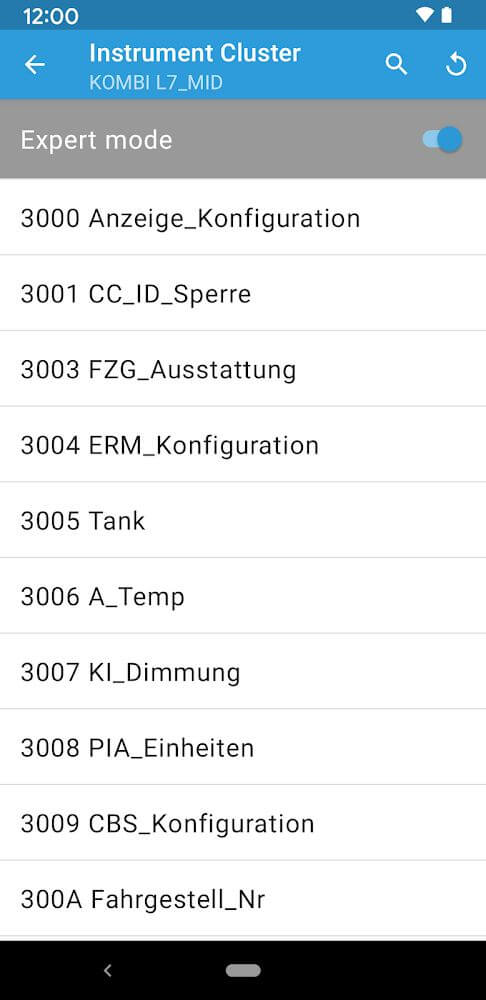
Description
BimmerCode for BMW and MINI offers a wide range of useful options for tuning many aspects of the vehicle the app supports. To connect, you will need a compatible adapter, and you'll find plenty of features to explore once you're set up.
The BimmerCode for BMW and MINI MOD APK on GameMod.dev gives you a version of the app with all premium features unlocked. This modification lets you access the full set of vehicle customization and coding tools without making an in-app purchase.
What's Modified in BimmerCode for BMW and MINI
- All premium features are unlocked, giving you full access to every vehicle coding and customization parameter.
This build is version 4.21.0-11425, with a file size of 23M and the package name de.appomotive.bimmercode. It has been re-signed, so it cannot be installed over an existing store version.
About BimmerCode for BMW and MINI
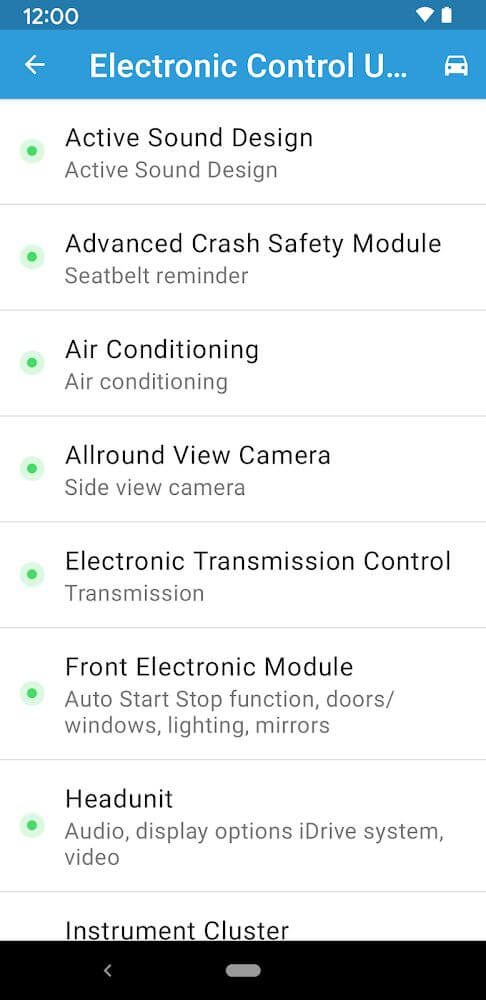
BimmerCode BMW/MINI lets owners personalize their vehicles by changing settings that the BMW Group's factory defaults normally control. The app connects to a vehicle's control units, letting you fine-tune thousands of settings. Unlike factory defaults, these adjustments can influence nearly every function of the car and change how the driver receives various types of vehicle data and information. This process is known as "coding." It gives users direct control over how their vehicles respond and perform. Because the app reaches thousands of control units, the range of functions and settings it can modify is practically limitless. To make this level of control approachable, the app includes access to thousands of internal control parameters, along with documentation that makes the settings easy to use. Many users have discovered options they never knew existed.
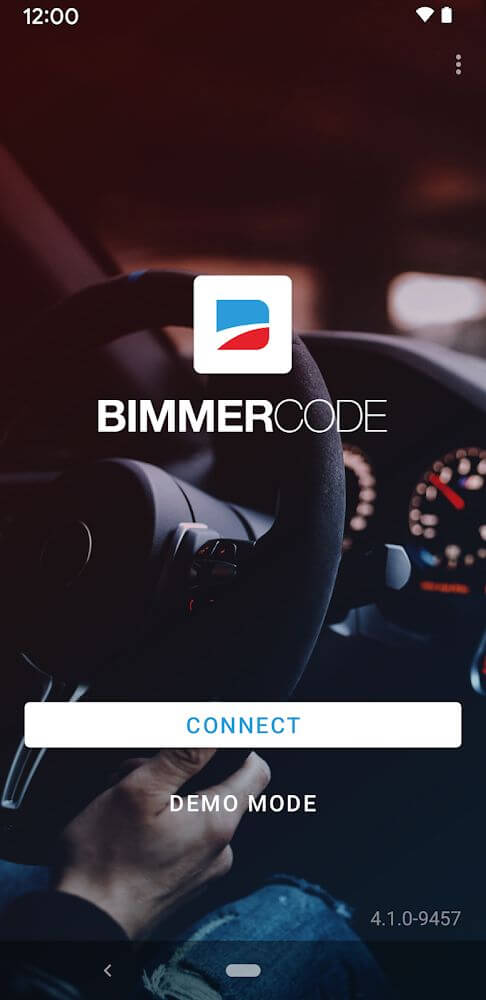
To use the app, you must buy and set up an OBD II adapter that plugs the car's diagnostic port into your smartphone. The app then communicates with the adapter wirelessly. Your phone cannot talk to the car's hardware directly, so the adapter acts as the bridge between the two. The app provides a graphical interface for exploring the vehicle's components, and from there you can make changes to its electronic control units. Its purpose is to help you understand your car and adjust it, and since it depends on dedicated hardware for communication, providing that hardware is your responsibility.
The app lets you change a wide variety of vehicle functions. For example, you can adjust the fuel level at which the car warns the driver about low fuel. You can also enable a digital speed display, which shows speed as a number instead of relying only on the traditional speedometer. The app additionally lets you change the resolution of various in-car displays, where resolution refers to the level of detail shown: higher resolution displays more detail than lower resolution. All of these modifications affect the vehicle's user interface. For instance, the digital displays can be customized to show speed, the distance to the next refueling stop, or the time remaining to your next destination, among other things.
What the app can do depends largely on the vehicle you use it with. The software currently supports many BMW and MINI models, and select Toyota Supra models are supported as well. Before buying and installing the OBD-II adapter, check the supported vehicle list to see whether your car is included. The list helps you determine whether the app will be useful for your situation. If your vehicle appears on it, you should be able to purchase and install the adapter without trouble and start coding the features your car supports. The app depends on the car's electronic architecture and the features it provides, so confirm that your vehicle is supported first. Otherwise, the app will not be of any use.
Users who upgrade to the pro version can unlock Expert Mode. It gives them much deeper control over their vehicle's Android screen, including the option to reset everything back to factory settings. Expert Mode also exposes other technical areas of the system, such as resolution and connection type, so users can fine-tune how the car's entertainment system displays relevant information. Many people are unaware of the system's more complex features and find the factory display easier to work with, especially on their first use. For that reason, many users prefer to keep the default factory settings. Still, this mode makes many features and parameters freely adjustable, and the app provides tools for changing a wide range of options. Plenty of online resources also explain what each feature does and how to use it. Car entertainment and information systems can be quite complicated, so one practical way to make them easier to use is to adjust the settings in this mode until the system suits your needs and preferences.
This program is built to be compact and secure, taking up very little storage on the user's device. That makes it especially useful for devices with limited space. It is designed to run on many different Android versions, which helps reduce problems when adjusting a vehicle. Compatibility like this matters when you're modifying a car's electronic systems. Despite its small size, the program offers plenty of features and customization options, letting users change and optimize their vehicle's systems to match their preferences. It delivers a smooth user experience and supports a wide range of modifications while leaving a small digital footprint on the device.
Key Features
- OBD2 Adapter Connectivity
- Low Fuel Warning Customization
- Digital Speed Display Activation
- Display Resolution Adjustment
- Expert Mode for Advanced Coding
- Android Screen Resolution and Variant Setup
- Support for BMW, MINI, and Toyota Supra Models
Related MOD APKs
- Obd Mary – OBD2 Car Scanner
- Carly – OBD2 Car Scanner
- Carista OBD2
- Fuelio
FAQ
Is Premium Unlocked in BimmerCode for BMW and MINI MOD APK?
This BimmerCode for BMW and MINI 4.21.0-11425 build comes with Premium Unlocked. It works just like the official SG Software GmbH & Co. KG release, and the changes take effect right after installation.
What Is the Latest Version of BimmerCode for BMW and MINI MOD APK?
Version 4.21.0-11425 is the current SG Software GmbH & Co. KG release, dated March 11, 2026. GameMod.dev does not keep older versions. To update, install this file over your existing app. If you get a signature conflict error, uninstall your current build first.
Is BimmerCode for BMW and MINI MOD APK Safe to Download?
This BimmerCode for BMW and MINI 4.21.0-11425 file is the SG Software GmbH & Co. KG app with Premium Unlocked. It has received a 3.7 rating from 834 users and does not require root access. You may see a Play Protect warning, so always download it from this page.
Can I Use BimmerCode for BMW and MINI MOD APK on PC or iPhone?
This Android package cannot be installed on an iPhone. To run the 23M APK on Windows or macOS, use an Android emulator such as BlueStacks or LDPlayer. Set up your emulator, then drag this file into its window.
How to install
- Download the APK file above to your phone.
- Allow “Install unknown apps” when prompted.
- Open the downloaded APK and tap Install.
- If the package includes OBB/XAPK data, follow the bundled instructions.
MOD APKs are modified builds, so Play Protect may show a warning. Install only if you trust the file; use at your own risk.