
Screenshots
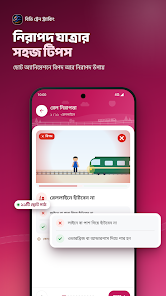
Description
BD Train Tracking (Unlocked)
| Version | 3.6.6 |
|---|---|
| Size | 24 MB |
| Latest Update | October 27, 2026 |
| Category | Tools |
| Requires | Android 7.0 |
| Google Play ID | com.gatishil.bdtrainguide |
BD Train Tracking is an Android app that lets you check train locations and timetables across Bangladesh, using data shared by passengers themselves. On Google Play, it falls under the Travel & Local category, is published by Gatishil Ventures in Dhaka, Bangladesh, has passed 100,000 downloads, and holds a rating of roughly 4.6 stars from nearly 3,900 reviews. It's worth knowing from the outset that this is an unofficial app: the store listing clearly notes it has no affiliation with or endorsement from Bangladesh Railways.
Table of Contents
Toggle
Overview of BD Train Tracking
This is a train tracking app built on a community-driven model, so train positions come from users who are currently riding. The app is free to download, rated 3+, includes ads, and offers a shop selling branded travel merchandise, which the developer says is sourced through authorized distributors. The store listing doesn't provide pricing or in-app purchase details.
How the app gets its data
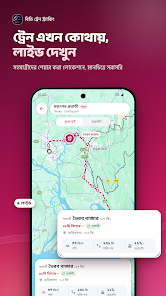
The most important factor is the data source. Train status is crowdsourced, and the listing says the information may be cross-checked against official Bangladesh Railways data. The app also makes clear that live positions only appear when a user on that particular train is actively sharing their location. So if nobody on the train you're interested in is using the app, its live position may not show up. Displayed locations should therefore be treated as a reference rather than official information.
Search and schedules
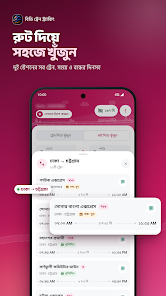
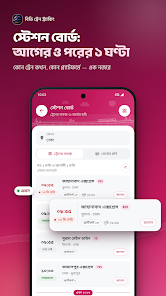
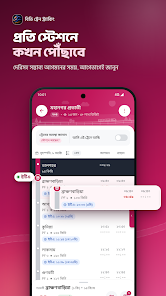
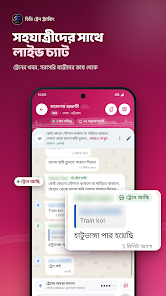
You can look up trains by name, number, or station and browse timetables and routes. Station-specific screens list arriving and departing trains, and a journey progress section shows estimated speed. Recent updates redesigned several screens, added a coach position selector, fixed Bengali font problems and dark mode, and brought Bengali search support to the live chat section.
Sharing your location while on board
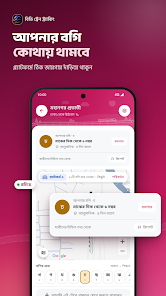
The “I’m Inside Train” feature lets you share your location with friends and family during your rail journey while also contributing data to the community. It's handy for relatives who want to follow your trip. Since location sharing involves sensitive personal information, consider turning it on only when you genuinely need it and switching it off once you arrive.
Data and privacy
Read the data safety section carefully. The developer states the app may collect personal info, messages, and four other data types, and may share location and personal info with third parties. Data is encrypted in transit, and you can request its deletion. The store page doesn't offer a detailed permissions list, but the location sharing feature means the app needs location access.
Tips for using BD Train Tracking
Treat the train positions in the app as reference information and confirm official schedules at the station or through Bangladesh Railways before your trip, especially if you have connecting transfers. Some users have reported inaccurate or delayed positions, which is understandable since the data depends on the community.
Enable location sharing only when necessary, carefully choose who can see your location, and turn the feature off after your journey. Review location permissions in your Android settings and consider allowing access only while using the app. Be cautious with ads and in-app store purchases, and check prices and return policies thoroughly. Read the declared data practices before regular use, and only download the app from Google Play.
Conclusion
BD Train Tracking suits passengers in Bangladesh who want extra reference details on train locations and timetables, as well as anyone who wants to share their journey with family and friends. Its large download count and strong ratings show it is widely used, but it is not an official app, and its data depends on passengers traveling on the trains. Double-check anything important against official sources, and think carefully before sharing your location.
How to Download and Install BD Train Tracking (Unlocked) on Android
How to install
- Download the APK file above to your phone.
- Allow “Install unknown apps” when prompted.
- Open the downloaded APK and tap Install.
- If the package includes OBB/XAPK data, follow the bundled instructions.
MOD APKs are modified builds, so Play Protect may show a warning. Install only if you trust the file; use at your own risk.