
MOD features
- No Ads
- All banner ad layouts have been completely removed.
- Advertising activities and underlying ad code were stripped or deactivated.
- Hidden all remaining ad-related layout containers and views.
- Eliminated the rating prompt button from the keyboard interface.
- Disabled and cleaned out all analytics and Crashlytics trackers.
- Turned off and purged unnecessary background services and receivers.
- Stripped Google Play Services, transport components, and Firebase properties.
- Cleaned up all junk files and redundant leftover folders.
Screenshots
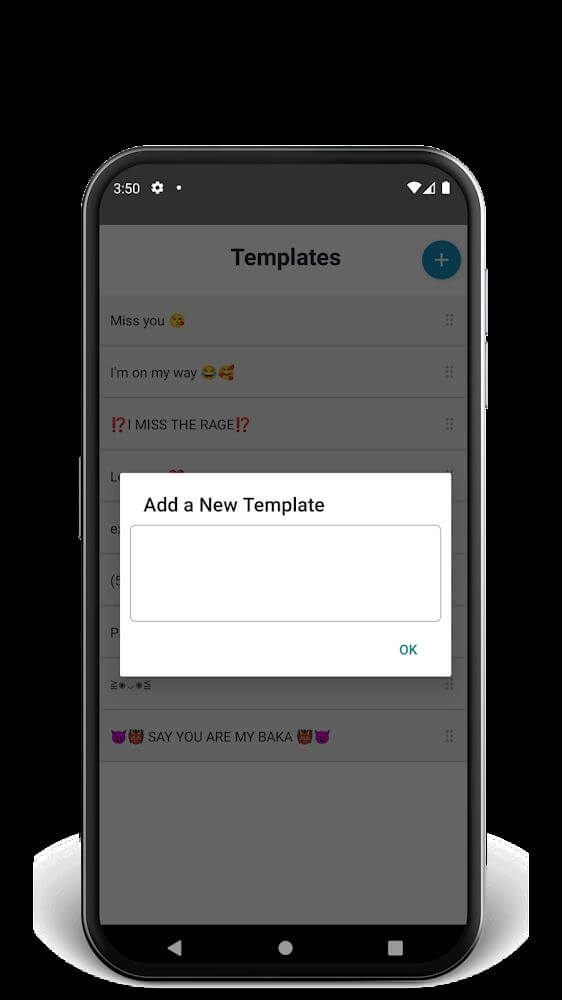
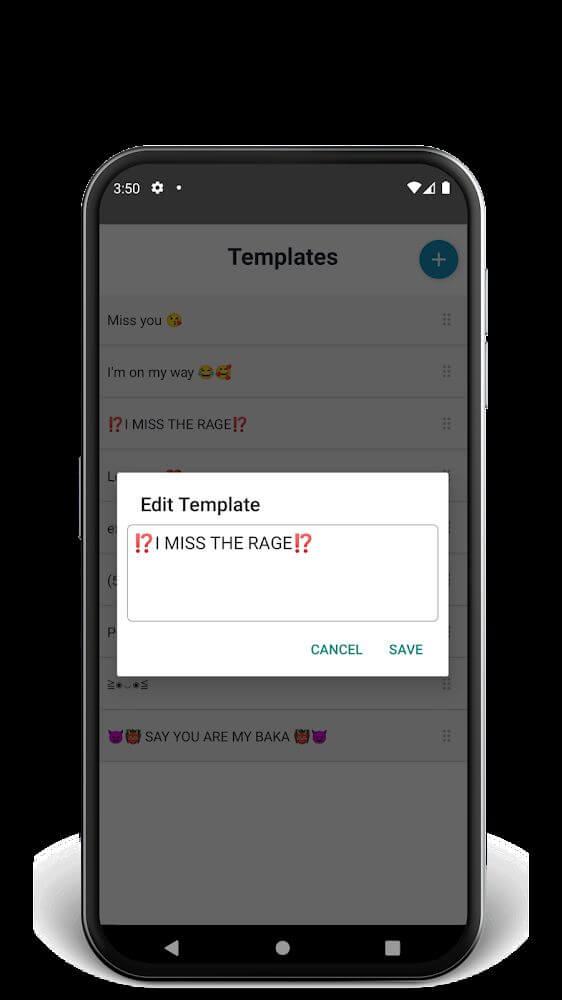
Description
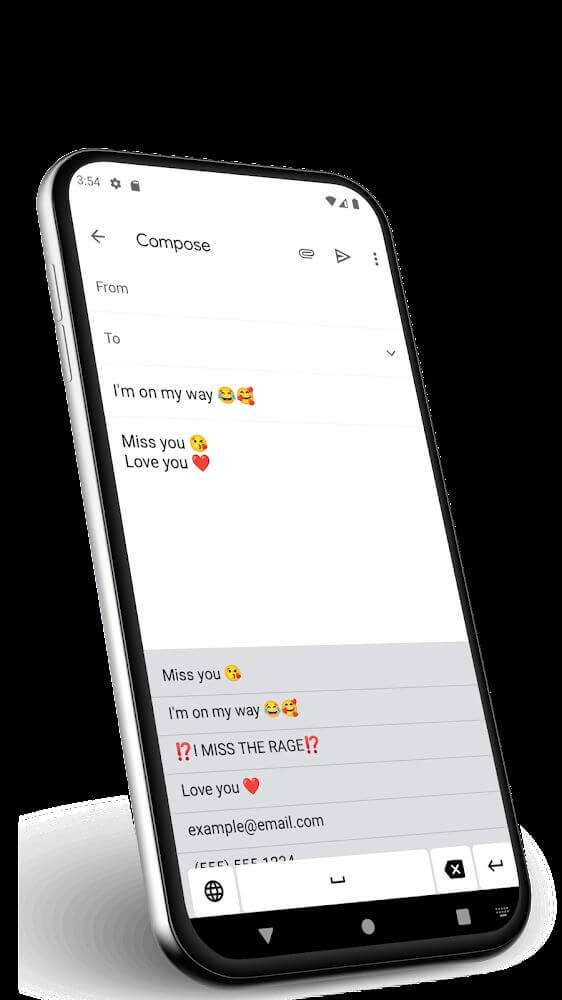
Auto Paste Keyboard delivers a distinctive personalized keypad experience, enabling you to modify text directly on web pages or insert pre-saved phrase templates with ease.
This Auto Paste Keyboard MOD APK ensures smooth, distraction-free typing by eliminating all native ads and telemetry tools found in the stock build. In-depth tweaks to background daemons and interface files keep the app lightweight and completely dedicated to high-efficiency text input.
What's Modified in Auto Paste Keyboard
- All advertisements and promotional banners have been completely eliminated from the display.
- All ad-related code blocks, activities, and dependencies are either disabled or stripped out entirely.
- Ad containers and layout views are permanently hidden to keep the workspace clean and tidy.
- The in-app review and rating prompt has been removed from the typing panel.
- Analytics engines and Crashlytics tracking modules have been turned off and purged.
- Background services and receivers responsible for handling ad requests have been deleted.
- Firebase trackers, Play Services integrations, and transport hooks have been scrubbed from the app.
- Unneeded cache files and junk resource folders have been cleared to minimize the overall download size.
Built on version 1.2.4 with a compact file size of 5M under the package ID com.highstarapp.pastekeyboard, this re-signed release must be clean-installed rather than updated over the official store version.
About Auto Paste Keyboard
Auto Paste Keyboard is tailor-made for users who need far more flexibility and power than standard virtual keyboards offer. By facilitating effortless phrase insertion across digital web forms and fields, this app lets you configure specialized input boards to match your routine. When a fixed typing layout feels inadequate for quick data entry or drafting notes, this tool provides a private clipboard archive where you can sort, retrieve, and manage your essential phrases without friction.
A standout highlight of the app is its floating, draggable keypad that can be repositioned anywhere across your display. When working against deadlines, minimizing finger movement and screen travel dramatically accelerates your typing workflow. This movable setup offers deep micro-adjustments to adapt to individual workflows, including handy shortcuts to minimize or conceal the keyboard until you are ready to use it.
Visual customization is another core focus of the developers, allowing you to tailor themes and palettes to fit your style or complement your device chassis. Beyond diverse color presets, you can download fresh icon sets to make your saved shortcuts pop. These custom icons make frequent text inputs visually distinctive and fun to browse while working.
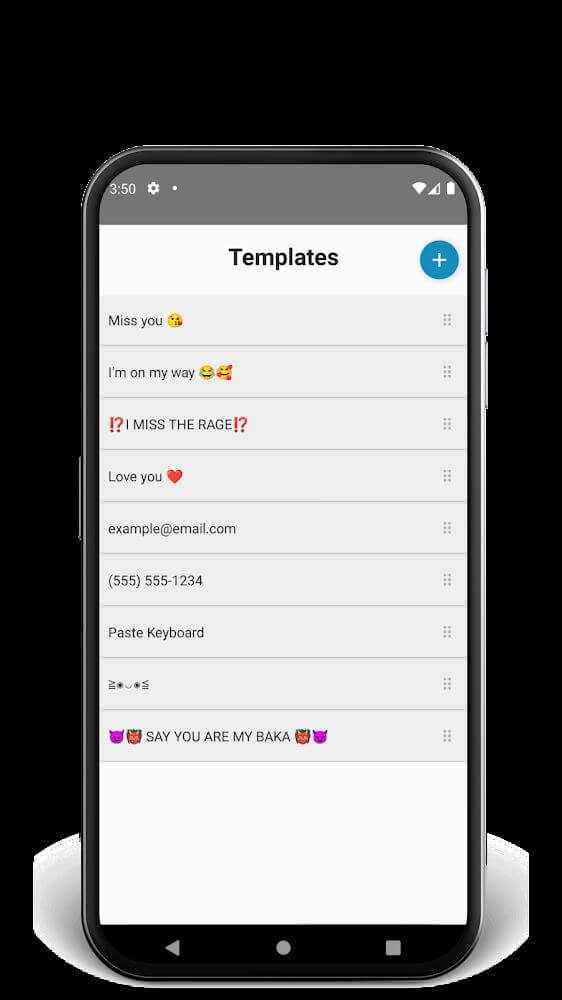
The app also incorporates an integrated snippet manager, letting you build custom directories to keep text fragments neatly structured. Storing recurring blocks of text saves tremendous time during routine communication. Thanks to transparent folder naming, moving or syncing your phrase lists to other devices remains straightforward. Despite its light footprint, the app handles extensive snippet collections, keeping critical information readily available at your fingertips.
With Auto Paste Keyboard MOD APK, you can flag frequently used notes and phrases for immediate lookup, making daily task planning smoother. A centralized dashboard lets you organize priority templates so they are always ready to deploy. For professionals who deal with recurring terms, canned replies, or specialized datasets, this instant copy-paste shortcut directly on the keys completely bypasses manual typing.
Users can also insert boilerplate content straight into larger compositions, drastically cutting down drafting hours. The interface controls are straightforward and user-friendly, equipping you with everything needed to curate an extensive offline phrase vault. Combining a repositionable layout, fast text dispatch, and capable folder management, this utility is a must-have upgrade for mobile productivity.
Key Features
- Flexible custom keyboard layouts engineered for smooth, quick tab navigation.
- Paste pre-saved text snippets directly into online forms, articles, and websites in one tap.
- Movable floating keyboard layout that you can freely reposition anywhere across your screen.
- Smooth scrolling bar designed to quickly fold away and switch between different keyboards.
- Custom icon packs that add expressive visuals to your text and personalize the keyboard interface.
- Sleek, modern user interface featuring customizable color themes and varied styling options.
- Structured folder directory to categorize, sort, and arrange all your saved text templates neatly.
- Expansive storage space built to store, archive, and retrieve endless text clips effortlessly.
- Share, export, and convert your saved text instantly without relying on third-party utilities.
- Quick-marking system to star, highlight, and instantly locate your go-to phrases and notes.
- Dedicated one-touch copy and paste keys engineered to speed up repetitive typing workflows.
Related MOD APKs
- Grok – AI Assistant
- ChatGPT
- CamScanner
- Kling AI
FAQ
Does Auto Paste Keyboard MOD APK remove ads?
Yes, this Auto Paste Keyboard (version 1.2.4) release comes with No Ads. It retains all the core functionality of the official build by Font Keyboard Company, with ad-free features activated right after installation.
What is the latest version of Auto Paste Keyboard MOD APK?
The current build is version 1.2.4, based on the official December 22, 2024 update by Font Keyboard Company. GameMod.dev offers only this up-to-date release. Simply install it over your existing build, or uninstall the previous build first if a signature conflict occurs.
Is Auto Paste Keyboard MOD APK safe to download?
Yes, this Auto Paste Keyboard 1.2.4 package from Font Keyboard Company includes only the No Ads modification. Rated 3.3 by 3 users, it runs completely root-free. If Play Protect displays a standard warning, you can proceed safely by downloading directly from GameMod.dev.
Can I use Auto Paste Keyboard MOD APK on PC or iPhone?
No, this Android APK is incompatible with iOS devices like iPhones. However, you can run this compact 5M package on Windows PC or Mac using popular Android emulators such as BlueStacks or LDPlayer by simply dragging the installer file into the emulator window.
How to install
- Download the APK file above to your phone.
- Allow “Install unknown apps” when prompted.
- Open the downloaded APK and tap Install.
- If the package includes OBB/XAPK data, follow the bundled instructions.
MOD APKs are modified builds, so Play Protect may show a warning. Install only if you trust the file; use at your own risk.