

MOD features
● Pro features unlocked. ● Unnecessary menu items removed, including Help, Privacy Policy, More Apps, About and Translate App. ● Ads removed and disabled. ● Ad-related activities and code removed or disabled. ● Ad-related layouts hidden. ● Analytics and Crashlytics removed or disabled. ● Receivers and services removed or disabled. ● Google Play Store install package check disabled. ● In-app billing service removed or disabled. ● Play Services, Transport and Firebase properties removed. ● Unneeded garbage folders and files deleted. ● PNG files optimized to save space, reducing them to 178 KB. ● classes.dex and libraries re-compressed. ● Graphics optimized and zipaligned. ● Debug information removed (source, line, param, prologue, local).
Screenshots

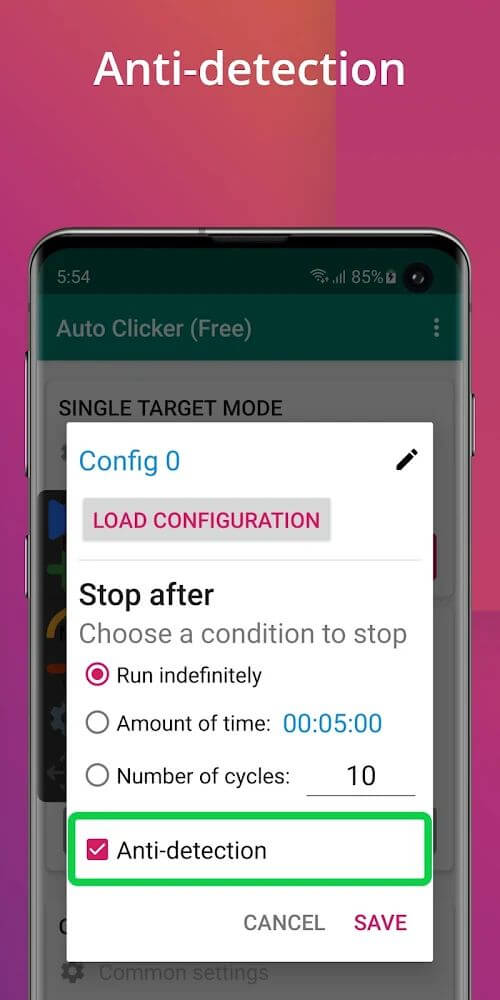
Description
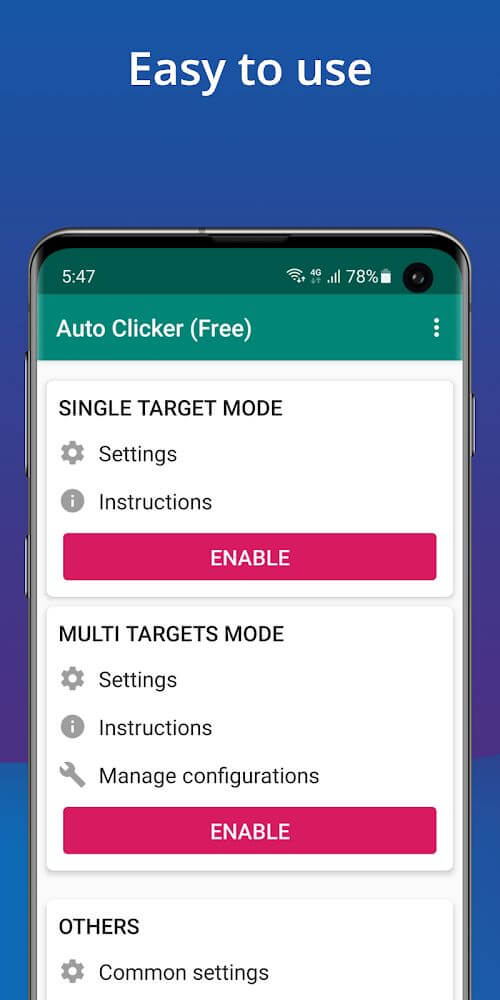
Auto Clicker is an app that automatically taps the screen for a set period of time. You can choose to tap one or several spots on the screen, and you can dismiss the ad whenever you like.
This Auto Clicker MOD APK delivers a Pro Unlocked experience by stripping out all advertisements and internal tracking components. The interface is simplified by removing non-essential menu items, and the underlying code is optimized to keep the file size small.
What's Modified in Auto Clicker
- All Pro features are fully unlocked, giving you access to every capability of the app.
- Non-essential menu items such as Help, Privacy Policy, More App, About, and Translate App have been removed.
- All advertisements inside the app have been removed or disabled.
- Ad-related activities and code have been completely removed or disabled.
- Ad-related layouts have been eliminated from the interface.
- Analytics and Crashlytics tracking services have been removed or disabled.
- Internal receivers and services have been stripped from the app build.
- In-app billing services have been removed or disabled to avoid unnecessary background processes.
- Play Services, Transport, and Firebase properties have been removed.
- All unnecessary leftover folders and files have been removed from the package.
- PNG assets have been optimized to a total size of 178 KB.
- classes.dex and library files have been re-compressed for better efficiency.
- Debug information, including source, line, param, prologue, and local data, has been removed.
This Auto Clicker MOD APK build is version 2.5.8, with a file size of 5 MB and the package name com.truedevelopersstudio.automatictap.autoclicker. It has been re-signed, so it cannot be installed over an existing version from the Play Store.
About Auto Clicker
Auto Clicker takes over the repetitive job of tapping the phone screen. It lets you customize the timing between automatic clicks, with options for zero delay, clicks at a fixed time interval, or a specific number of cycles. Its main purpose is to remove the monotony and physical strain of tapping the screen again and again, making it a handy tool for repetitive tapping tasks. By handling these tedious dialer-style tasks in the background, you are free to focus on more interesting things while your phone keeps performing the automatic clicks.
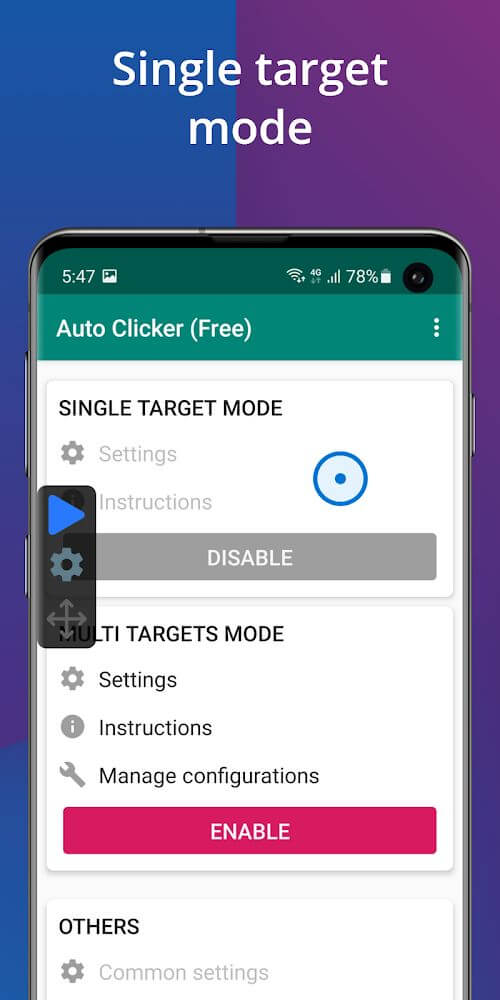
The app offers three main automation modes that you can learn to master. The first is single target mode. When it is active, a single target circle appears on the screen, and it serves as the focus of the automated clicks. You can drag this circle to the exact spot where you want the clicks to land. This mode works best when a task only requires interaction with one point on the screen. The interface is user friendly, so you can start using the service without spending much time learning the app, and the process stays smooth and centered on your chosen settings.
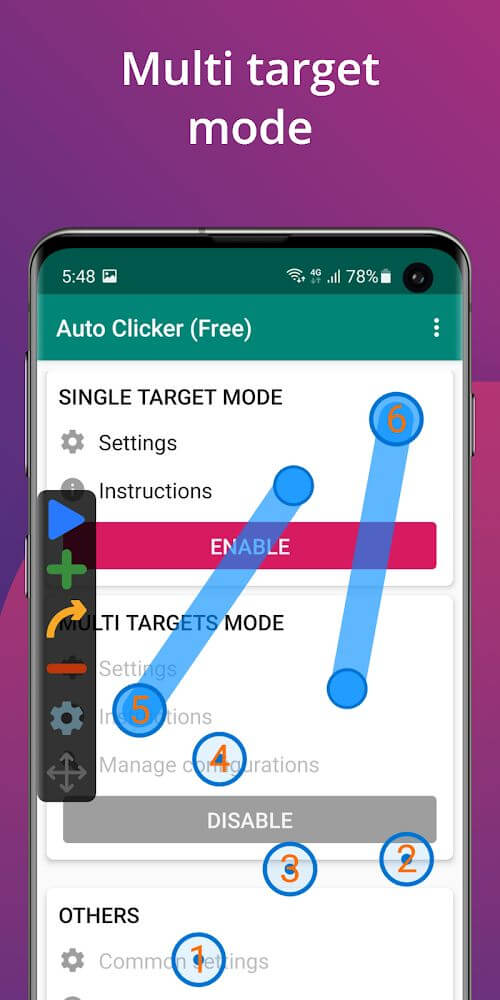
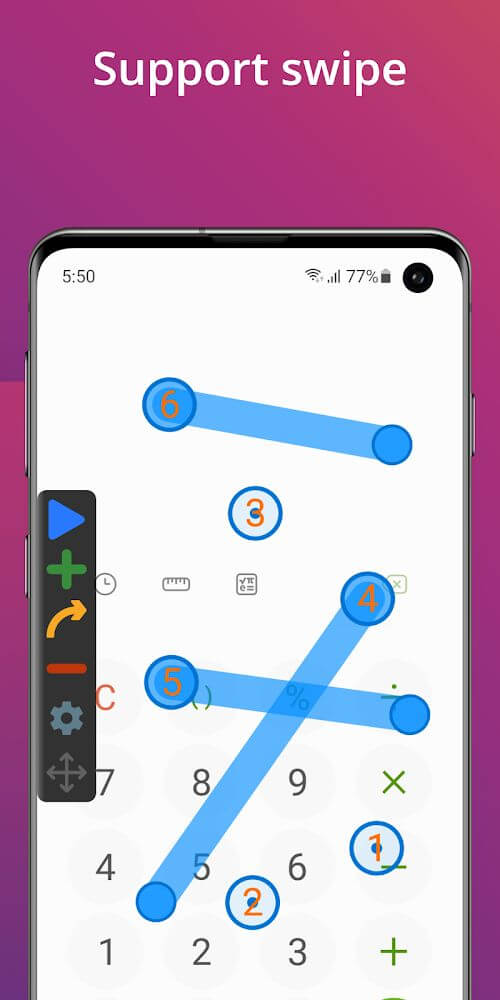
Multi-target mode is designed for more complex automation. With it, you can control more than one point on the screen. You can set up several points and move the circles around the screen to cover everything the app needs to click. A good example is a game or app with several buttons that must be tapped in a specific order. This mode is useful for automating software with multiple buttons or click areas that need to be used in sequence, or for any task that involves controlling several parts of the screen.
Configuring the clicker to suit your needs is very straightforward, whether you are setting on and off times, interval timing, or cycles. You can choose from three mode time options: the first is unknown, or indefinite; the second is a set amount of time; and the third is a set cycle, or a predetermined number of clicks. For example, if you only need to run a task for ten minutes, you can set the mode to a ten-minute timer, and if the task needs to repeat one thousand times, you can change the cycle count to one thousand. The app will carry out the process for as long as your device remains stable. It supports Android 7.0 and above, which keeps the clicking function reliable throughout the task.
Key Features
- Single target mode for focused clicking
- Multi-target mode for complex automation
- Customizable time intervals between clicks
- Cycle count operation settings
- Fixed time operation settings
- Movable target circles for precise placement
- Indefinite clicking duration option
- No-root operation requirement
Related MOD APKs
- Auto Clicker
- MovieBox ID: Stream Movies, TV Series, K-Dramas & Anime for Free
- KWGT Kustom Widget Pro
- SnapTube
FAQ
Is Premium unlocked in the Auto Clicker MOD APK?
This Auto Clicker 2.5.8 release comes with Pro Unlocked built in. It works the same way as the True Developers Studio version, so every feature is ready to use as soon as you install the app.
What is the latest version of the Auto Clicker MOD APK?
Version 2.5.8 matches the True Developers Studio release dated March 4, 2026. We don't host older builds here. To update, install this new file over your existing one. If you run into a signature error, uninstall the old app first and then install this version.
Is the Auto Clicker MOD APK safe to download?
This Auto Clicker 2.5.8 build on GameMod.dev is the True Developers Studio app with Pro Unlocked added. It has a 3.8 rating from 105 users and does not require root access. Play Protect may show a warning during installation, which is expected for modded files, so always download from this page.
Can I use the Auto Clicker MOD APK on a PC or iPhone?
This Android file won't run on an iPhone or iPad. To use the app on a computer, run it through an emulator such as BlueStacks or LDPlayer. Install your preferred emulator and drag the APK file into it.
How to install
- Download the APK file above to your phone.
- Allow “Install unknown apps” when prompted.
- Open the downloaded APK and tap Install.
- If the package includes OBB/XAPK data, follow the bundled instructions.
MOD APKs are modified builds, so Play Protect may show a warning. Install only if you trust the file; use at your own risk.