
Screenshots

Description
- Home /
- Apps
AudioTool 8.6.5
- Paid
- Applications
- Music & Audio
Advanced decibel (SPL) meter equipped with RT60 reverberation analysis, Leq, Sone loudness, spectrum analyzer, spectrogram, chart recorder, signal generator, speaker polarity test, and microphone calibration. Developer: jjbunn | Size: 2 MB | Version: 8.6.5 | Requires: Android 4.2+
- Telegram
Report Problem
Screenshots
Overview
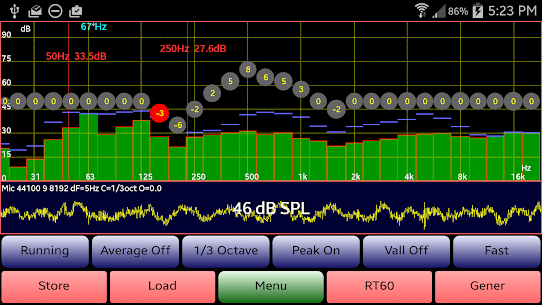
AudioTool APK – Professional decibel (SPL) sound level meter packed with RT60 analysis, Leq calculation, Sone loudness measurement, real-time spectrum analyzer, spectrogram, rolling chart recorder, multi-signal generator, polarity verification, and precision mic calibration.
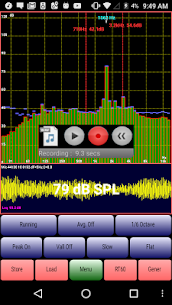
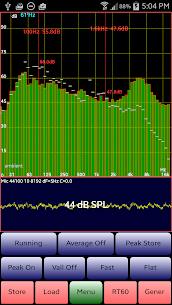
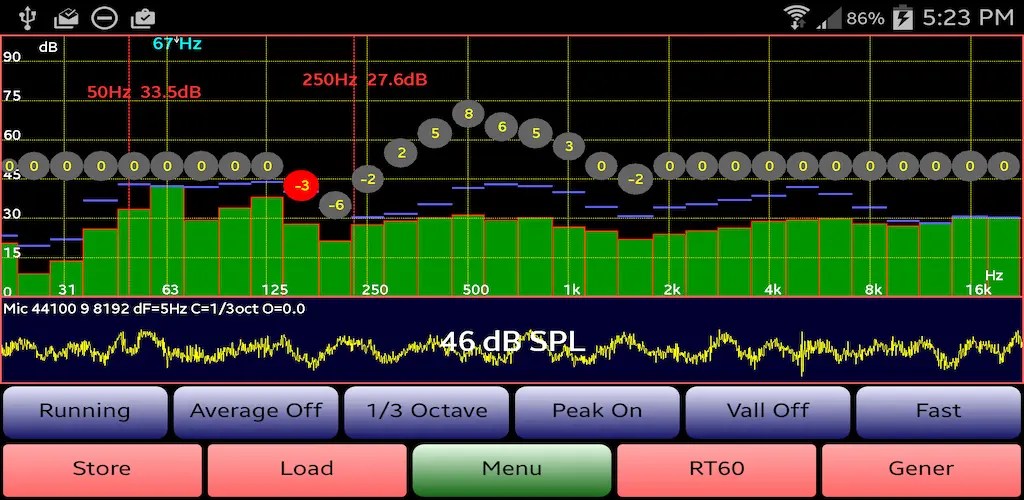
Core Features: Multiple RTA modes (1/1, 1/3, 1/6, and 1/12 octave bands), Leq monitoring (broadband and octave with configurable integration times), Sone loudness tracking, broadband and octave RT60 room acoustics analysis, peak hold, detailed spectrograms, waterfall visualizations, peak frequency identification, along with Impulse, Fast, Medium, and Slow time constants. Supports Flat, A, and C frequency weighting curves plus cinema-standard X Curve, signal averaging, real-time SPL chart recorder, NC and NR noise criteria evaluation, and dual-channel (L/R) signal output. Built-in signal generator produces pink/white noise, sine, square, triangle, ramp, and impulse signals, linear/log frequency sweeps, and warble tones, alongside speaker polarity testing. Offers spectrum save/load functions, Hann windowing, pinch-to-zoom scaling, and scroll-to-center navigation.
Selected Version Highlights: v8.0 introduces dual spectrum recall to compare two saved profiles directly over real-time measurements. v8.1 adds right-channel phase inversion in the signal generator. v8.2 provides customizable FFT resolution with 4096, 8192, or 16384 sample sizes. v8.3 adds ultra-precise 1/12 octave RTA analysis.
Proprietary ISO 1/3 Octave Calibration: Compensates for built-in Android microphone frequency non-linearities. Simply adjust the octave calibration sliders up or down to flatten audio response and synchronize overall SPL readings with a dedicated reference sound meter. Supports saving and importing calibration profiles (including factory curves for Dayton Audio iMM-6 and MicW i436).
Recommended Uses: Live concert sound engineering, home theater tuning, room acoustics analysis, car audio optimization, and environmental noise audits.
AudioTool processes microphone audio streams using fast Fourier transforms (FFT), minimizing spectral leakage with Hann windowing and computing precise sound pressure levels in real time. Stored audio spectra can be loaded and viewed directly alongside real-time curves. Tap "Store" to preserve current measurements or "Load" to retrieve historical profiles.
Easily toggle interface buttons by tapping the display. Fine-tune your view by pinching to zoom axes or dragging across the screen to pan through frequency and amplitude ranges.
Dual draggable measurement markers can be enabled via the main menu, showing exact sound pressure level, time stamp, and frequency readouts at any selected point on the display.
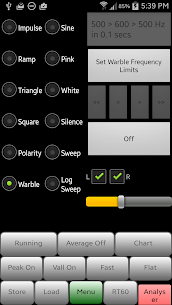
The integrated phase detection utility checks loudspeaker wiring integrity: feed AudioTool's output into your audio system, pick "Polarity" in the signal generator, and switch back to the RTA interface. Inverted polarity displays as "Pol —", while correct in-phase wiring shows "Pol +++".
The Noise Criteria utility overlays standard NC curves across 1/1 octave RTA readouts while calculating and updating the current room NC rating on the fly.
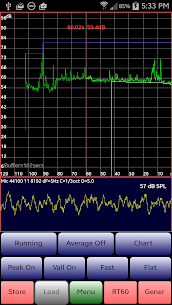
The integrated strip chart recorder graphs continuous sound pressure levels over recent minutes to monitor audio trends effortlessly.
Evaluate room reverberation and echo characteristics with the "RT60" module, activated via an acoustic impulse (such as a sharp clap) or by utilizing burst pink noise from the built-in generator.
The versatile audio generator outputs white and pink noise, sine, square, triangle, and ramp waveforms, linear and logarithmic sine sweeps, warbles, and audio impulse clicks. White and pink noise streams are refreshed across cycled buffers for authentic randomness.
Enjoy typical frequency precision within roughly 1%, delivering clean sine wave reproduction throughout the standard audible spectrum. High-frequency transient signals may exhibit slight edge ringing or minor rolloff depending on specific mobile hardware constraints.
This brief overview summarizes key features; consult the comprehensive documentation online at: https://sites.google.com/site/bofinit/audiotool
Join the friendly AudioTool Discussion Group to suggest new features, find or request Calibration files, or report any issues. Your feedback is always appreciated: http://groups.google.com/group/audiotool-discussion-group
Disclaimer: How AudioTool performs depends on your Android device's hardware, and it is not guaranteed to meet any audio measurement or safety standards.
Related apps
Poke Genie 8.19.1 Poke Genie 107.92 MB Poweramp Music Player build-1031-uni Poweramp Software Design (Max MP) 25.21 MB Premium Unlocked SpotiDuck 1.2.4 SpotiDuck 2.89 MB Ad-Free Murglar 6.9.325-stable Murglar 22.39 MB Premium Unlocked Play Music Files Offline App 1.5.6 Tresor Tech 43.34 MB Premium Unlocked
How to install
- Download the APK file above to your phone.
- Allow “Install unknown apps” when prompted.
- Open the downloaded APK and tap Install.
- If the package includes OBB/XAPK data, follow the bundled instructions.
MOD APKs are modified builds, so Play Protect may show a warning. Install only if you trust the file; use at your own risk.