

Screenshots



Description
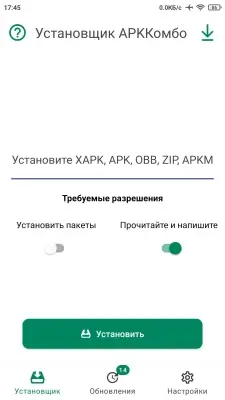
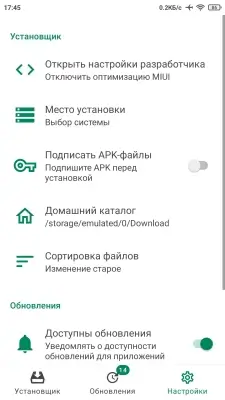
APKCombo Installer (MOD) is a tool for installing apps that are split into multiple APK files. It handles APK, APKs, OBB, XAPK, APKM and ZIP formats, letting you install and export files without root access. Its clean interface and straightforward controls make it a handy option for managing apps on your Android device.
App features:
- Works as a standard APK installer;
- Works as a Split APKs installer;
- Supports APK, APKs, OBB, XAPK, APKM and ZIP formats;
- Checks installed apps for updates;
- Clean, intuitive interface;
- Exports APK and APKs files;
- No root access required;
- Safe installation.
Modification features (by Vova Evseenko):
- Full Russian translation;
- Original signature replaced (by FuRReX).
Follow this news. You will receive an email notification when it is updated. Subscribe Subscribers: 0
Screenshots
6 13 19
Information
Version 4.0 OS (minimum) Android 5.0+ Language Russian Developer APKCombo Status Modification Root Not required Tags APKCombo, Split APKs Installer, APK, APKs, XAPK, APKM, App installation
How to install
- Download the APK file above to your phone.
- Allow “Install unknown apps” when prompted.
- Open the downloaded APK and tap Install.
- If the package includes OBB/XAPK data, follow the bundled instructions.
MOD APKs are modified builds, so Play Protect may show a warning. Install only if you trust the file; use at your own risk.