
Screenshots
Description
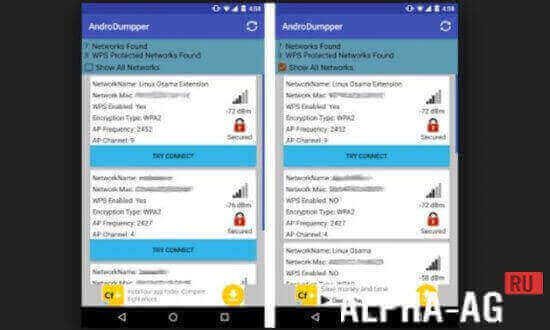
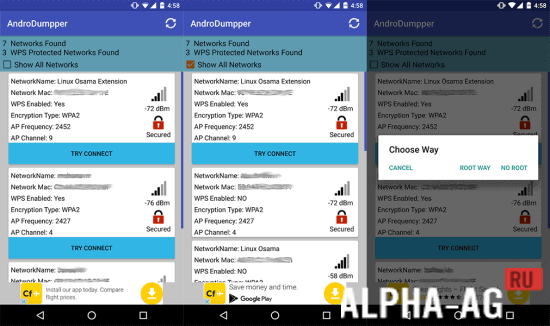
AndroDumpperApplication will not only allow you to test Wi-Fi access points for vulnerabilities, but also connect to routers protected by a password via the WPS protocol. Now, to connect to a protected network, you won't need a password!
Features
First of all, we note that to use the application's functionality, you need to obtain root rights on your device. This can be done using any appropriate application (you can find it on our portal).
Also, you will need the BusyBox tools package.
By the way, the application works without superuser rights, but with lower analysis efficiency and low reliability. This applies to Android versions before Lollipop. From the 5th version of the OS, the program works without the need to obtain root access. On version 4.4 and below, users will not be able to connect to Wi-Fi networks, nor will they be able to see passwords.
Characteristics
The program searches for (and successfully finds) vulnerabilities in WPS routers that distribute Wi-Fi. Users can check their own access point for vulnerabilities and also use the application to log in to a protected network.
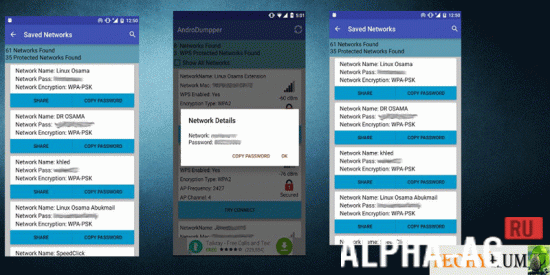
The program has a convenient interface. Users are shown passwords for all networks you have entered on your mobile device.This will allow you to easily reconnect to networks. You can also connect through the application in the traditional way: using a PIN code, if you know it. Such a connection will be more secure.
On our website You can download the original version of the AndroDumpper (AndroDumpper) application in Russian absolutely free for Android!
33 18 Oct Additional information:- Required Android version: 4.1 or higher
- Age restrictions: 3+
- Russian localization: present
- Cache installation: not required
How to install
- Download the APK file above to your phone.
- Allow “Install unknown apps” when prompted.
- Open the downloaded APK and tap Install.
- If the package includes OBB/XAPK data, follow the bundled instructions.
MOD APKs are modified builds, so Play Protect may show a warning. Install only if you trust the file; use at your own risk.