

Screenshots

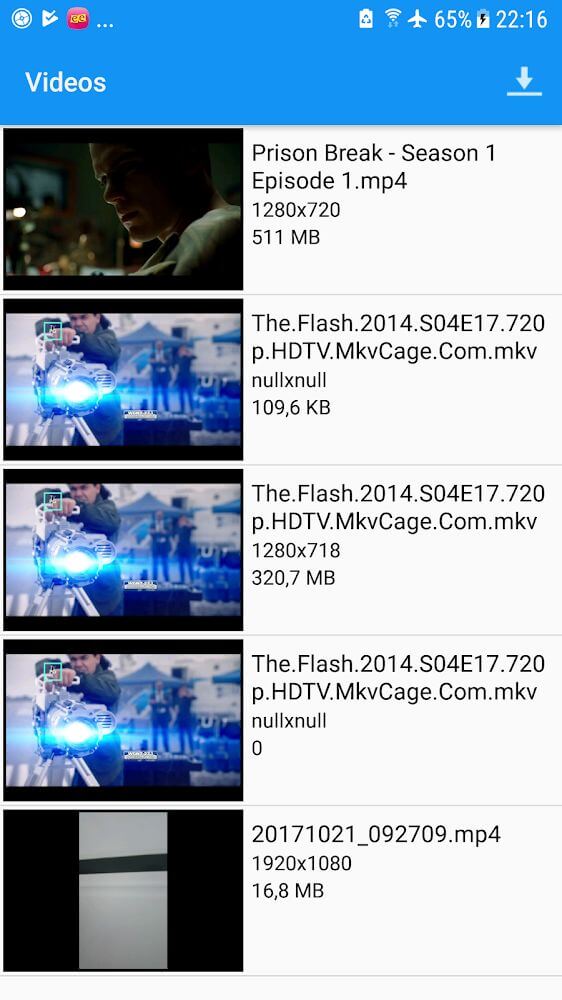

Description
AMPLayer is a versatile media player designed for Android devices, making it easy to display images, stream videos, and enjoy all kinds of multimedia. Packed with convenient playback tools, it remains completely free for everyone to use.
If you need a reliable video player that fixes common issues like unsupported formats or laggy high-resolution files, AMPLayer is an excellent solution. Designed to handle virtually any media extension with ease, this app ensures you never run into compatibility errors again.
Portable Mini TV Experience for All Video Formats
AMPLayer essentially transforms your Android smartphone into a compact television. Just like a standard TV lets you tune into countless channels, this player gives you instant access to any video you want to watch. It smoothly processes all popular formats—including MP4, AVI, MPEG, and WMA—running lightweight clips and complex files without a hitch.
Engineered with advanced decoding technology, video playback loads significantly faster and runs far more seamlessly than on default media players. Whenever you find an interesting video online, simply paste the direct URL into the app's built-in search tool. The integrated filter quickly retrieves the stream, letting you sit back and enjoy your favorite content without delays.
Play Pictures via Photo Slideshow Mode
Beyond video playback, AMPLayer lets you browse your photo collection as if it were a movie reel. Simply import your pictures, label the album, and tap play; the app will immediately string the shots together into an animated filmstrip. You can also export and save the resulting slideshow directly by pressing "download." Please note that background audio cannot be added to photo streams, as this feature operates strictly as a visual slideshow.
Effortless Installation and Setup
Ranked among the top media players available today, AMPLayer enjoys widespread popularity and can be installed quickly without extra plugins or complicated setup routines. To begin using the platform, just create an account using basic personal details, or save time by instantly linking your existing Google profile.
Once registered, you can jump straight into the full experience. The platform lets you upload your own clips to share with others, leave comments on trending posts, and organize your favorite clips into custom playlists for fast access whenever you want to rewatch them.
Extra Benefits: Free Access, Tablet Support, and Multilingual Interface
AMPLayer continues to expand its feature set with regular improvements. Best of all, core functionality remains 100% free—from setup and account registration to offline video saving, without any surprise subscription charges.
If you enjoy using the player on Android phones, you will be glad to know it is also fully compatible with tablets and desktop platforms. With multi-language support built into the interface, users worldwide can effortlessly switch to their preferred language. Compatibility issues will never get between you and your entertainment again!
Key Features
- A premier, user-friendly media player tailored for Android devices that is fast to install and easy to navigate.
- Functions like a pocket-sized TV, rendering every file format smoothly and rapidly, even heavy and demanding media files.
- Create dynamic photo slideshows simply by organizing your images, assigning a title, and letting the app animate them like a mini-movie.
- Sign in easily to unlock community tools, including video uploading, custom collections, and interactive commenting.
- Completely free to use across smartphones, tablets, and computers, featuring broad multilingual support for effortless browsing.
How to install
- Download the APK file above to your phone.
- Allow “Install unknown apps” when prompted.
- Open the downloaded APK and tap Install.
- If the package includes OBB/XAPK data, follow the bundled instructions.
MOD APKs are modified builds, so Play Protect may show a warning. Install only if you trust the file; use at your own risk.