

Screenshots
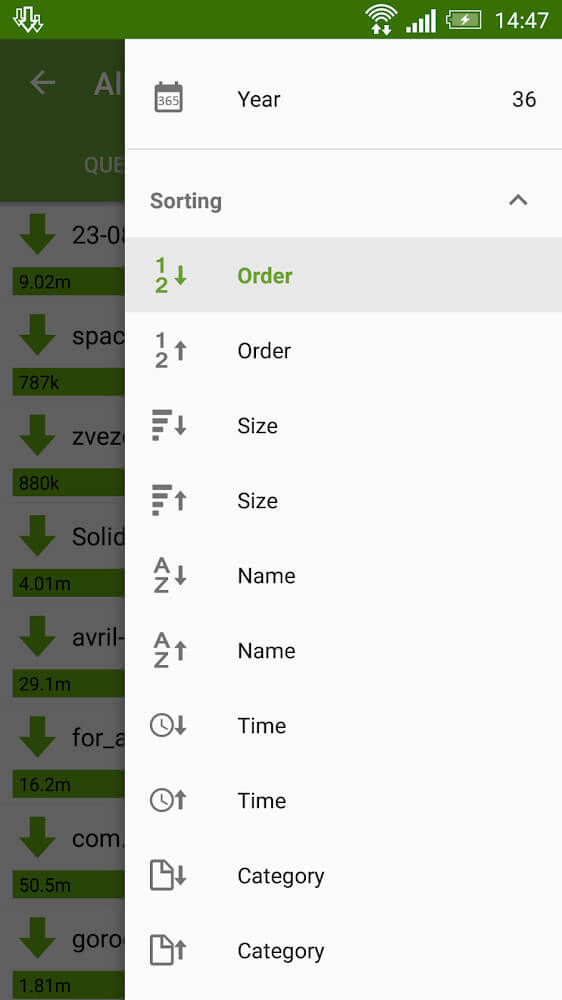
Description
Advanced Download Manager is a handy app that makes downloading files on your device smoother. You can schedule downloads for a specific time or fetch several files at once with just a few taps.
This Advanced Download Manager MOD APK unlocks the Pro version of the tool, lifting the restrictions found in the standard build. You get access to the full set of download management features and interface customizations without any limits.
What’s Modified in Advanced Download Manager
- The Pro Unlocked mod enables every feature normally reserved for the professional version, giving you unrestricted access to advanced settings and tools.
The Advanced Download Manager MOD APK is available as version 14.0.43, with a file size of 45M and the package name com.dv.adm. Because it is signed with a custom certificate, it cannot be installed as an update over the original Play Store version.
About Advanced Download Manager
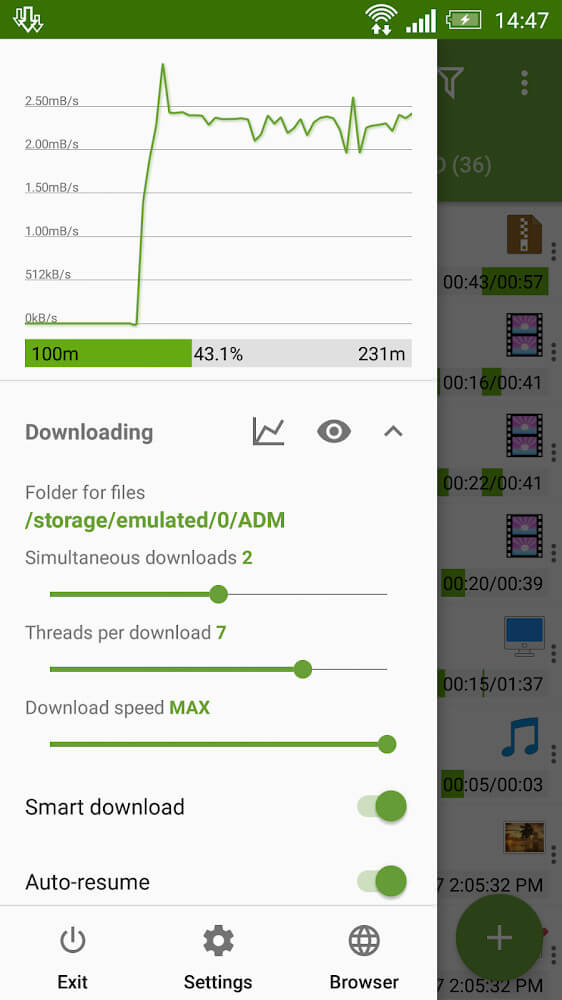
The standout feature of Advanced Download Manager is its proprietary technology for speeding up file downloads. The app splits transfers into smaller segments and accelerates them by handling transfer requests in a set order. While most download managers simply show the status of your transfers, Advanced Download Manager lets you control them in several ways to boost speeds and cut down wait times. A key part of the engine is a default limit of three simultaneous transfers, but its multi-threaded design allows you to remove that cap for even faster downloads. The engine is also flexible enough to automate various tasks, giving you finer control, and it receives frequent updates to improve performance and usability.
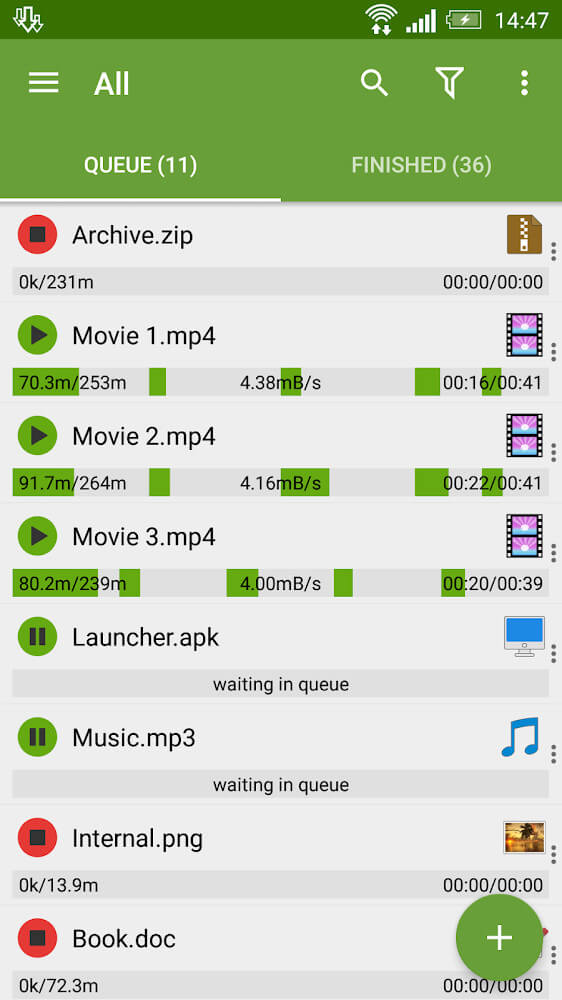
Managing downloads in the app relies on a set of straightforward commands. Complex tasks are broken down into simple actions that are built right into the interface, and these commands can be customized to suit your preferences. For example, starting and stopping a download is as easy as a tap. Touching an entry changes its status, and tapping a completed download opens it for viewing. To see more details about an item, you can expand its entry, and you can also change a file's status from the expanded view. This makes it easy to keep track of many active or finished tasks at once.
What sets the app apart is how it works with external browsers. It connects to online content through supported pathways and integrations, but only if you grant the necessary permissions. When you tap a link on a web page, you can send it to the app by long-pressing the link and choosing the option to open it in the app. The app may ask you a few questions to resolve security checks before establishing the connection, and your answers guide it through the process. You can also copy any link and send it straight to the downloader. The app uses the clipboard to make this easy: copy a link from anywhere, then load it in the ADM Editor, and the download can start automatically.
You can track a download's progress with a compact, semi-transparent progress bar that stays visible while you work in other apps. It sits above other windows, and tapping it reveals more controls. The app also keeps a list of every file you've downloaded, showing details such as file size, download date, and the time each download finished. This history is useful for confirming that files arrived correctly, especially large files and archives.
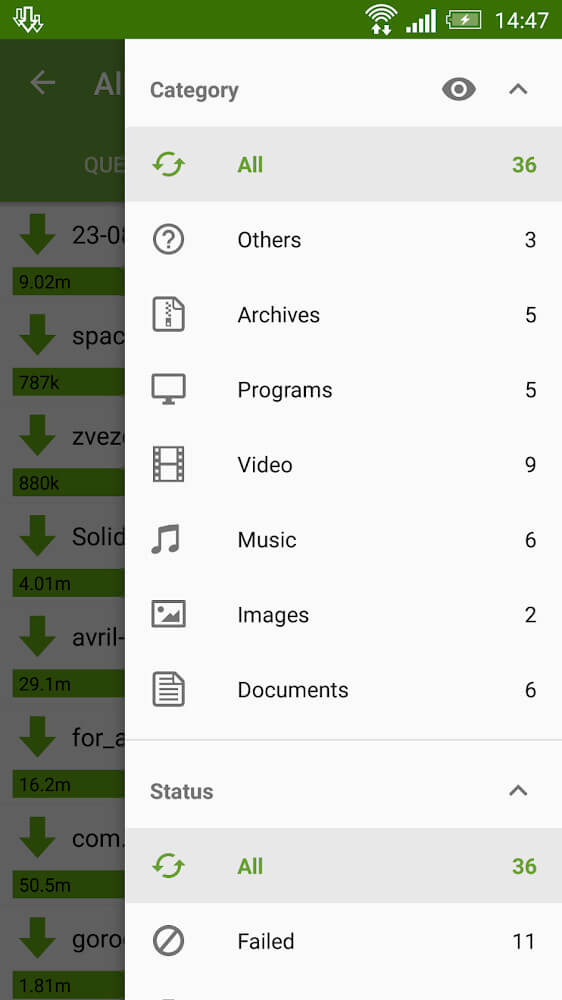
The app helps users manage downloaded files effectively over time. Users are encouraged to sort files into different folders for better organization. They can rearrange downloaded files however they like to match their own preferences or workflow. Files organized this way are quick to find and access. Downloads made through the app are saved in a storage area set aside for it, which allows the app to retrieve and manage them efficiently. These tasks run smoothly even while the user is doing other things on their device, and files are kept intact without corruption or loss.
Users can customize the toolbars to match their preferences, giving them plenty of control over how the app is set up for automated downloads. Settings can be adjusted to change how commands are handled so they suit each person's habits and skill level. Users can also decide how cautious or aggressive the app is during transfers. The app is quite advanced, yet its interface leaves a lot of open space and looks fairly simple, largely to make room for customization. Most commands respond instantly, so the app feels very snappy overall.
Key features
- Simultaneous downloading of up to 3 files at once
- Editable menus and interface for personalized layouts
- Touch controls for starting and stopping download tasks
- Tap and hold on a file to expand detailed information
- Built-in browser link integration with security prompts
- ADM Editor for managing links from the clipboard or entering them manually
- Transparent progress bar that stays visible across all active windows
- Detailed download list showing file name, size, and date
- Customizable toolbars for adjusting speed and safety settings
- Internal memory storage and dedicated folder management
Related MOD APKs
- MovieBox ID: Watch Movies, TV Series, K-Dramas & Anime for Free
- KWGT Kustom Widget Pro
- SnapTube
- Terabox
FAQ
Is Premium unlocked in the Advanced Download Manager MOD APK?
This build of Advanced Download Manager (14.0.43) comes with Pro features unlocked. It works much like the AdvancedApp version, and all modifications become active as soon as you finish installing.
What is the latest version of the Advanced Download Manager MOD APK?
Version 14.0.43 matches the AdvancedApp release dated August 19, 2026. We don't host older versions here. To update, install this file over your existing app. If you encounter a signature error, uninstall the old version first.
Is the Advanced Download Manager MOD APK safe to download?
This 14.0.43 build from AdvancedApp includes Pro Unlocked and has received a 3.5 rating from 75 users. It doesn't require root access. You may see Play Protect warnings during installation, which you can safely ignore, but always download from this page.
Can I use the Advanced Download Manager MOD APK on PC or iPhone?
This is an Android file and won't run directly on iPhone. To use the 45M package on a computer, install an emulator such as BlueStacks or LDPlayer, then drag the file into the emulator window.
How to install
- Download the APK file above to your phone.
- Allow “Install unknown apps” when prompted.
- Open the downloaded APK and tap Install.
- If the package includes OBB/XAPK data, follow the bundled instructions.
MOD APKs are modified builds, so Play Protect may show a warning. Install only if you trust the file; use at your own risk.