

Screenshots

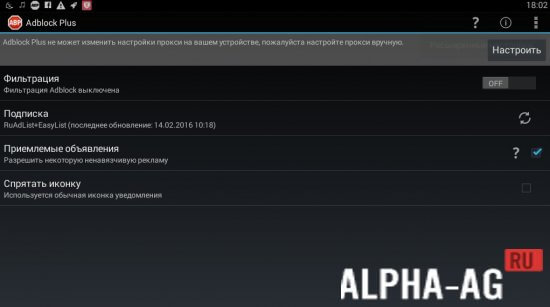
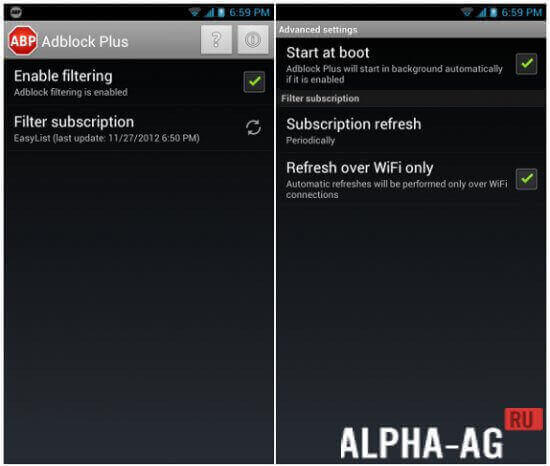

Description
AdBlock Plus
Install AdBlock Plus on your Android device to finally stop those intrusive advertisements that always seem to appear at the worst possible times. This tool has been a trusted solution for web browsers for many years.
Features
While advertising is a staple of commerce, most users find it incredibly frustrating. AdBlock Plus stands out as one of the most effective and widely used ad-blocking applications available today.
Getting everything configured is quick and straightforward, feeling very familiar if you have ever used the browser plugin version of this software.
Once you have this blocker active, you can permanently wave goodbye to distracting banners and unwanted promotional content.
It is worth noting that you cannot find AdBlock Plus on the official app store. This is primarily because developers of ad-supported apps prefer to push users toward paid, premium versions of their software.
Key benefits
- Functions perfectly without requiring root access.
- Effective blocking of all types of ad content.
- Removes advertisements over both Wi-Fi and mobile networks (note that mobile data filtering requires root access).
- Prevents annoying pop-ups from appearing.
You can grab the AdBlock Plus app for Android at no cost right here on GameMod.dev.
0 Oct 10 Additional information:
- Requires Android 2.3 or newer
- Age rating: 3+
- Russian language support: Included
- Cache installation: Not needed
1.3 App version Our rating: 8/10 Recommended alternatives: AdAway ad blocker, AdFree, VKontakte Amberfog
Subscribe to our YouTube channel!
Leave a comment
How to install
- Download the APK file above to your phone.
- Allow “Install unknown apps” when prompted.
- Open the downloaded APK and tap Install.
- If the package includes OBB/XAPK data, follow the bundled instructions.
MOD APKs are modified builds, so Play Protect may show a warning. Install only if you trust the file; use at your own risk.