

Screenshots


Description
- Home /
- Apps /
- Tools
3C System Manager (root) 1.3.9
- Tools
A straightforward app that lets you adjust a range of kernel settings on a rooted Android device. Using it effectively calls for solid knowledge of Linux and Android. TELEGRAM Report Developer 3c Size 10 MB Version 1.3.9 Requirements 7.0 Get it on Mod Info Pro Unlocked
- Telegram
Report this app
Images
Description
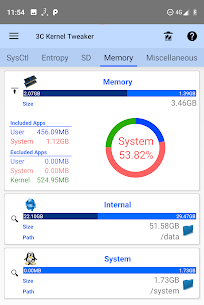
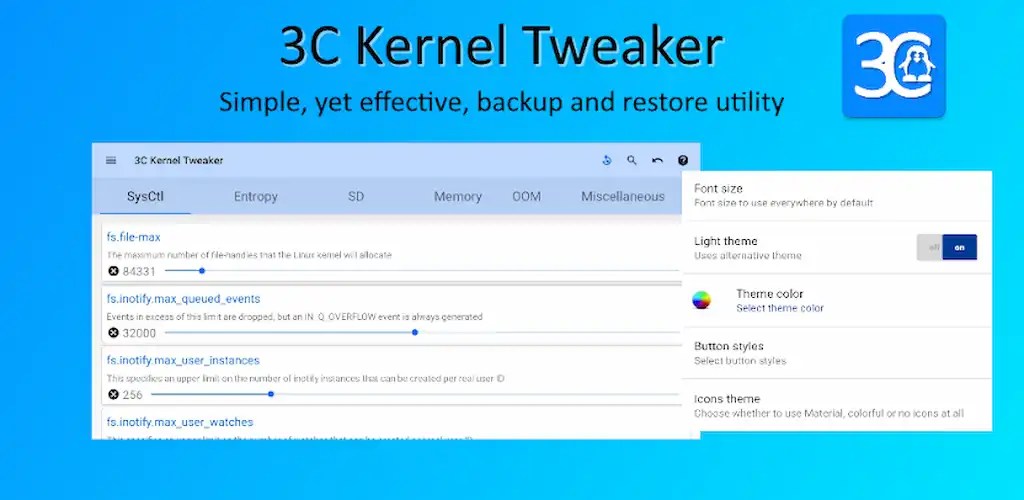
3C System Manager is a streamlined tool for tweaking various kernel settings on your rooted Android device. It assumes you already understand Linux and Android internals.
★ The interface is highly customizable, so you can shape the app into a layout that suits your taste.
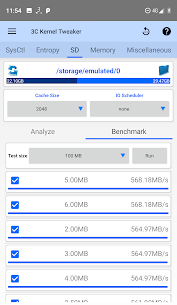
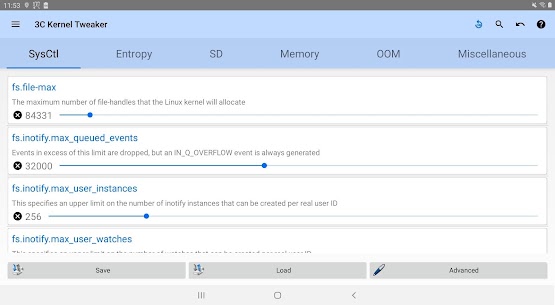
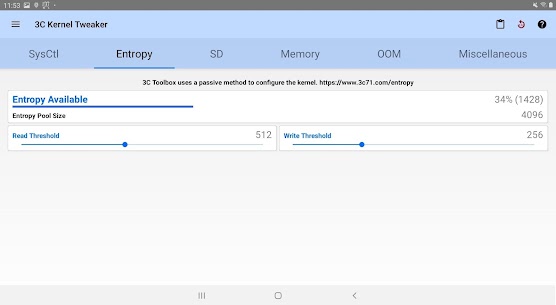
★ Edit every kernel sysctl setting ★ Adjust entropy (the random number generator; use caution, since it consumes CPU) ★ Set the SD read cache size, IO scheduler and sync options where supported ★ Tune OOM memory limits where available ★ Benchmark different SD read cache sizes to find the best performance
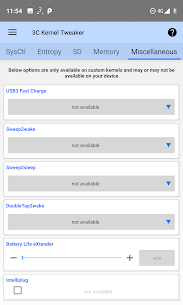
On custom kernels that support them, you can adjust: ★ Screen gamma ★ Sound output ★ Double-tap-to-wake ★ Fast-charge ★ Sweep-to-sleep ★ Battery level eXtender (maximum charging percentage) ★ Intelliplug
An in-app purchase is available if you want to remove ads or unlock additional features.
Developer's apps
3C All-in-One Toolbox 3.2.4b 3c 23.00 MB Pro Unlocked 3C Battery Manager 5.2.5 3c 10.43 MB Pro Unlocked 3C Task Manager 4.0.1a 3c 8 MB Pro Unlocked 3C CPU Manager (root) 5.0.5 3c 8 MB Pro Unlocked 3C App Manager 1.7.7 3c 11 MB Pro Unlocked
Related apps
Insget 3.14.4 Spaple 88.09 MB Premium Unlocked Poke Genie 8.19.1 Poke Genie 107.92 MB NekoBox+ 1.4.2-101 NekoBox+ 159.46 MB No Ads Inure App Manager build107.3.0 Hamza Rizwan 25.96 MB Premium Unlocked SmartCookieWeb 17.0-beta3 SmartCookieWeb 5.40 MB No Ads
How to install
- Download the APK file above to your phone.
- Allow “Install unknown apps” when prompted.
- Open the downloaded APK and tap Install.
- If the package includes OBB/XAPK data, follow the bundled instructions.
MOD APKs are modified builds, so Play Protect may show a warning. Install only if you trust the file; use at your own risk.